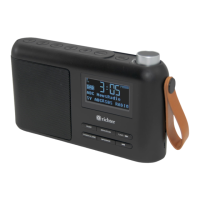
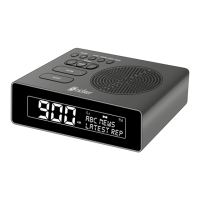
SUNRISE ALARM CLOCK DIGITAL RADIO
14
21. Set date format
Under system menu, press ‘- Station +’ button to select ‘Time’ and press
the ‘Select’ button once to conrm. Then press ‘- Station +’ button again
to select ‘Set date format’ and press the ‘Select’ button once to conrm.
Press ‘- Station +’ button to select the date format and then press the
‘Select’ button once to conrm.
22. Backlight
The Sunrise Clock radio has a backlight with three brightness settings,
and adjustable timeout (this is the time delay, in seconds, after which the
display switches to the Dim level).
There are three settings:
• Timeout – Light On 10 I 20 I 30 I 45 I 60 I 90 120 180 sec I Off
• On level – Level 1 I Level 2 I Level 3 I Level 4 I Level 5
• Dim level – Level 1 I Level 2 I Level 3 I Level 4 I Level 5
23. Language
The language used for display messages can be selected from:
English I Espanol I Français I Italiano I Nederlands I Norsk I Polski I
Suomi I Dansk I Deutsch
24. Factory reset
A factory reset clears all user dened settings, replacing them with the
original default values, so time/date, preferences/settings, DAB station
list and preset stations are all lost.
Under system menu, press ‘- Station +’ button to select ‘Factory Reset’
and press the ‘Select’ button once to conrm. Then, use the ‘- Station +’
button to choose <Yes> and press the ‘Select’ button again to conrm
and start the factory reset.
25. Software version
This is used to display the current software version.
Under system menu, press ‘- Station +’ button to select ‘SW version’ and
press the ‘Select’ button once to conrm. Then the existing SW version
will be shown.


 To Next Page