EasyManua.ls Logo

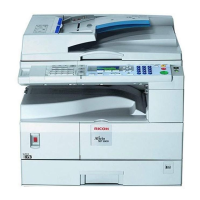
Ricoh Aficio MP1812L - User Manual

Ricoh Aficio MP1812L
110 pages
Print Icon
To Next Page IconTo Next Page
Loading...
Operating Instructions
Troubleshooting
Read this manual carefully before you use this machine and keep it handy for future reference. For safe and correct use, be sure to read the
Safety Information in "About This Machine" before using the machine.
When the Machine Does Not Operate As Wanted
Troubleshooting When Using the Copy Function
Troubleshooting When Using the Facsimile Function
Troubleshooting When Using the Printer Function
Troubleshooting When Using the Scanner Function
Adding Paper and Replacing Toner
Clearing Misfeeds
Remarks
1
2
3
4
5
6
7
8

Table of Contents

Questions and Answers

  • R
    Robert RogersAug 17, 2025
    Why does my Ricoh Printer say 'Authentication failed'?
    • B
      Brian BrooksAug 17, 2025
      If the Ricoh Printer displays 'Authentication failed', it could be due to an incorrect login user name or password. Ensure you are using the correct credentials. If you are unsure, ask your administrator for the correct login details. Alternatively, the printer might be unable to access the authentication server. In this case, you should also contact your administrator.
  • M
    Mary HarrisAug 20, 2025
    What to do if my Ricoh Printer says 'Cannot copy. Original is being scanned by another function'?
    • P
      Pamela AyersAug 21, 2025
      This Ricoh Printer message indicates that the scanner function is currently in use by another process. To resolve this, cancel the current scan job by pressing the {Clear/ Stop} key on the scanner screen. When the message “Clear/Stop key was pressed. Stop scanning?” appears, press [Stop].
  • M
    Maria EricksonAug 25, 2025
    What does 'Max. number of sets is nn' mean on my Ricoh Printer?
    • F
      fpayneAug 25, 2025
      This Ricoh Printer message appears when the number of copies you have selected exceeds the maximum copy quantity allowed. You can adjust the maximum copy quantity setting. Consult the “Copier Features” section in the General Settings Guide for instructions.
  • H
    Heather DiazAug 27, 2025
    What to do if my Ricoh Printer says 'You do not have privileges to use this function'?
    • C
      Chad AllenAug 27, 2025
      This Ricoh Printer message indicates that you do not have the necessary permissions to use the function you are trying to access. The use of this function is restricted to authenticated users only. Contact your administrator to get appropriate privileges.
  • C
    Christopher HolderAug 31, 2025
    Why can't the Ricoh Copier duplicate copy this size?
    • T
      Tiffany PowersAug 31, 2025
      The Ricoh Copier's Duplex function is unavailable for the paper size you've selected. Ensure you choose one of the following paper sizes: A3L, B4 JISL, A4KL, B5 JISKL, or A5KL.
  • Z
    Zachary WagnerSep 3, 2025
    Why is Rotate Sort unavailable with this paper size on my Ricoh Copier?
    • T
      Tiffany KleinSep 3, 2025
      The Rotate Sort function is not available with the paper size currently selected on your Ricoh Copier. Please choose a paper size that is compatible with the Rotate Sort feature.
  • T
    Theodore JonesSep 6, 2025
    What to do if Ricoh Copier says 'Check original orientation'?
    • J
      Jill YorkSep 7, 2025
      The Ricoh Copier indicates that the original is not placed in the correct orientation. Change the orientation of the original.
  • R
    Regina KennedySep 9, 2025
    How to fix Ricoh Copier that cannot detect original size?
    • C
      Connor MoralesSep 9, 2025
      The Ricoh Copier is unable to detect the original size because: * The original may be placed improperly. In this case, select the paper manually, avoiding the Auto Paper Select and Auto Reduce/Enlarge functions. * For non-standard originals, input both the horizontal and vertical sizes. * The original may need to be placed on the exposure glass. * The original is not placed. Make sure to place your originals.
  • K
    Kelly BrownNov 13, 2025
    How to fix 'Cannot detect original size' on Ricoh Printer?
    • B
      Brian ThomasNov 13, 2025
      If your Ricoh Printer cannot detect the original size, ensure the original is placed correctly. Try manually selecting the paper size instead of using the Auto Paper Select function, and avoid using the Auto Reduce/Enlarge function. If you're using a non-standard size, input both the horizontal and vertical dimensions. For proper placement, refer to the “Originals” section in the Copy Reference. Also, ensure that you have placed the original and that it is in the correct orientation. If you press the {Start} key, copy will start onto the selected paper. If Rotate Sort is not available, select a proper paper size. If you are in Duplex mode, make sure that you have selected one of the available paper sizes for this mode: A3L, B4 JISL, A4KL, B5 JISKL, A5KL, 11"×17"L, 81/"×14"L, 2 81/"×14"L, 8...

Ricoh Aficio MP1812L Specifications

General IconGeneral
BrandRicoh
ModelAficio MP1812L
CategoryAll in One Printer
LanguageEnglish

Related product manuals