88
5
Shooting Menu
Auto Bracketing
Choose the type of bracketing performed.
Note -------------------------------------------------------------------------------------
Assigning [AT-BKT], [WB-BKT], [CL-BKT], or [FOCUS-BKT] to the Fn (Function)
button with [Set Fn Button] allows you to switch between on and off by pressing
the Fn button (GP.55).
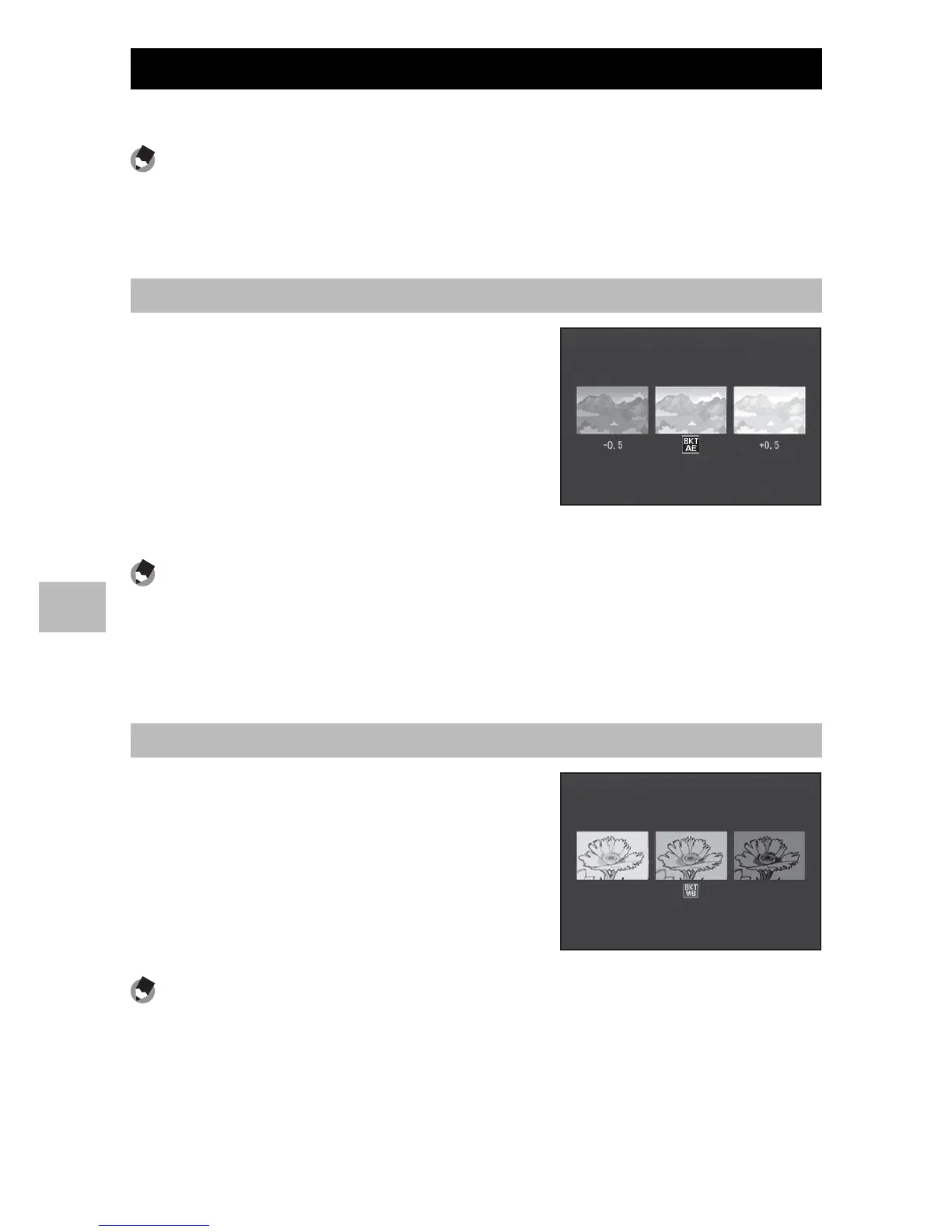
Auto Bracket
If [On] is selected, the camera will
take three photos each time the
shutter-release button is pressed: one
underexposed by 0.5 EV, a second at
current exposure settings, and a third
overexposed by 0.5 EV.
An icon is displayed when [On] is selected.
Recording
Recording
Note -------------------------------------------------------------------------------------
• The exposure compensation can be changed using the shooting menu
(GP.90).
• [White Balance] functions according to the [Auto] setting even if it is set to
[Multi-P AUTO].
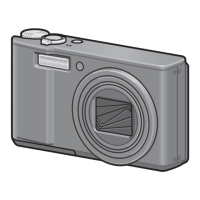
White Balance Bracketing (WB-BKT)
The white balance bracket function
automatically records three images—a
reddish image, a bluish image, and an
image of the current white balance.
An icon is displayed when [WB-BKT] is
selected.
Red
Blue
Note -------------------------------------------------------------------------------------
• The white balance can be changed using the shooting menu (GP.91).
• If [Image Settings] is set to [Black & White] or [Sepia], the white balance bracket
function can be set but it does not operate.



 To Next Page