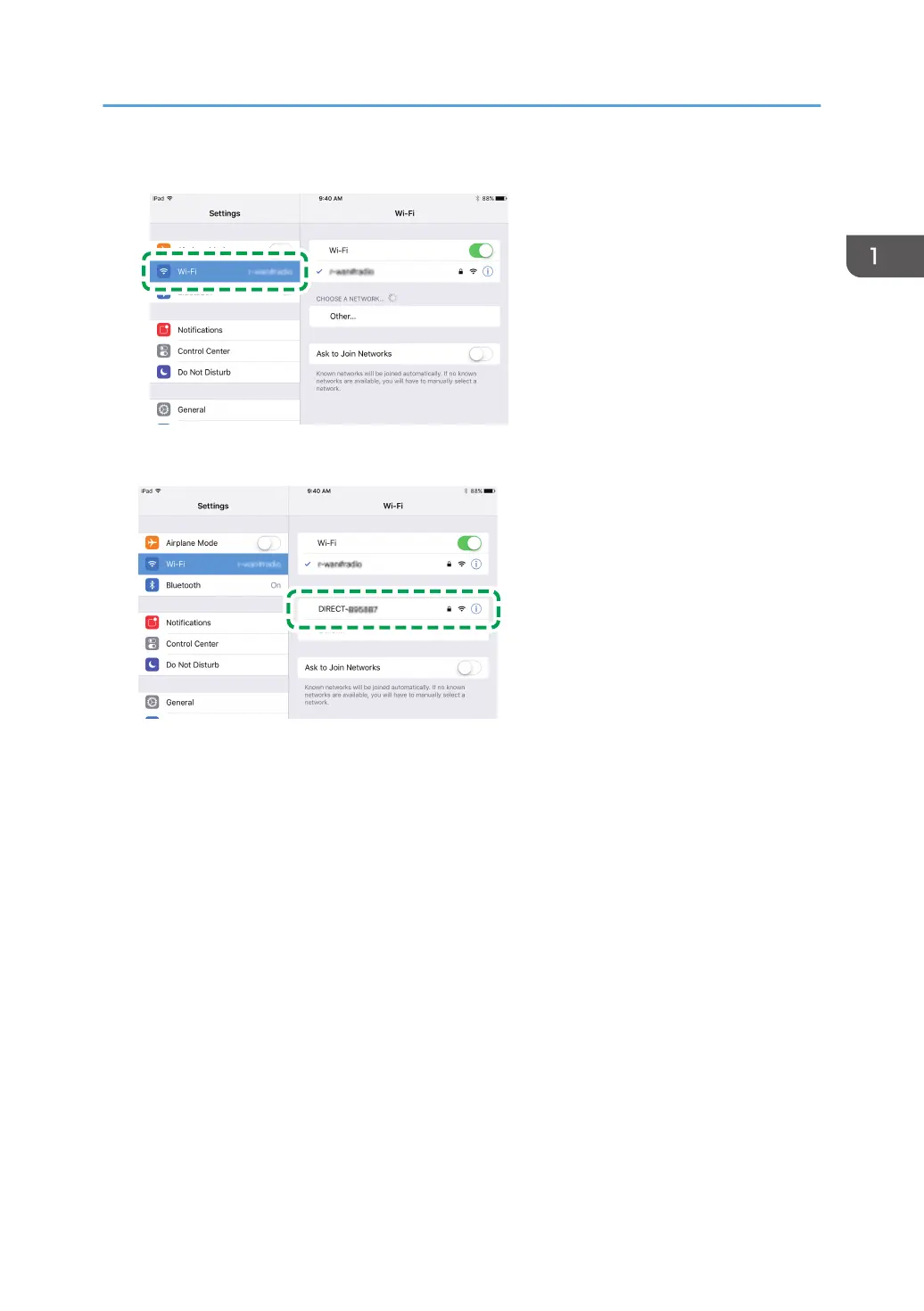
16. Tap [Wi-Fi].
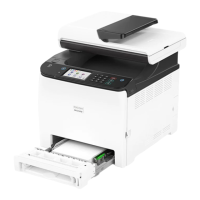
17. Tap the SSID (DIRECT-XXXXXX) of the machine.
The screen for entering a Wi-Fi Direct password is displayed.
18. Enter the Wi-Fi Direct password.
The default password is "admin123".
For details about changing the password, see page 15 "How to Change the Wi-Fi Direct
password.".
19. Make sure the status under the SSID of the selected machine has changed to "Connected".
The procedure to configure the Wi-Fi settings is complete.
Connecting Using iOS Device
11



 To Next Page