EasyManua.ls Logo

Ricoh MP C6003 - User Manual

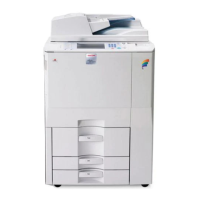
Ricoh MP C6003
48 pages
Print Icon
To Next Page IconTo Next Page
Loading...
For safe and correct use, be sure to read the Safety Information in "Read This First" before using the machine.
Using this Machine in a Network Environment
Compliant with IEEE Std.2600.1
TM
-2009
Notes for Administrator:

Other manuals for Ricoh MP C6003

Questions and Answers

  • A
    Ashley WongSep 12, 2025
    Why the function does not run on Ricoh All in One Printer?
    • A
      Austin RussellSep 12, 2025
      If the function on your Ricoh All in One Printer does not run or cannot be used, it may be that the machine is being used by another function. Wait until the current job is completed before trying again.
  • J
    Jason FullerSep 13, 2025
    Why the function cannot be used on Ricoh MP C6003?
    • C
      Charles RodriguezSep 13, 2025
      If the function on your Ricoh All in One Printer does not run or cannot be used, it may be because the Address Book is being backed up from Web Image Monitor or other tools running on the computer. Wait a while.
  • M
    Michelle ThompsonSep 15, 2025
    What to do if Ricoh All in One Printer cannot find the specified path?
    • A
      Alexandra EstradaSep 15, 2025
      Check that the computer name and the folder name for the destination are correct for your Ricoh All in One Printer.

Ricoh MP C6003 Specifications

General IconGeneral
Print TechnologyLaser
Print Speed (Black)60 ppm
Print Speed (Color)60 ppm
Print Resolution1200 x 1200 dpi
Paper Capacity (Standard)1, 200 sheets
Paper SizeUp to 12" x 18"
Monthly Duty Cycle300, 000 pages
FunctionsPrint, Copy, Scan, Fax
Duplex PrintingYes
Memory (Standard)2 GB RAM
Operating System CompatibilityWindows, Mac OS, Linux
ConnectivityEthernet
Scan Resolution600 dpi
Original Capacity100 sheets
Display9-inch Smart Operation Panel

Related product manuals