EasyManua.ls Logo

Ricoh MP C305SPF - User Manual

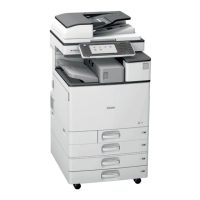
Ricoh MP C305SPF
107 pages
Print Icon
To Next Page IconTo Next Page
Loading...
Technical Bulletin PAGE: 1/2
Reissued: 29-Mar-12
Model: GR-C1 Date: 21-Mar-12 No.: RD117001b
RTB Reissue
The items in bold italics have been corrected.
Subject: Firmware Release Note: (Java VM v10 for eDC) Prepared by: H. Tamaki
From: 1st Tech Service Sect., MFP/Printer Tech Service Dept.
Classification:
Troubleshooting
Mechanical
Paper path
Product Safety
Part information
Electrical
Transmit/receive
Other (Firmware)
Action required
Service manual revision
Retrofit information
Tier 2
This RTB has been issued to announce the firmware release information for the Java VM
v10 for eDC.
Version Program No. Effective Date Availability of RFU
10.04.02 D6405750H_edc April 2012 production Not available
10.03.01 D6405750G_edc March 2012 production Not available
10.02.00 D6405750F_edc February 2012 production Not available
Note: Definition of Availability of RFU via @Remote
“Available”: The firmware can be updated via RFU or SD card.
”Not available”: The firmware can only be updated via SD card.
Version Modified Points or Symptom Corrected
10.04.02 Symptom corrected:
1. SC899 occurs when a user swipes a card on the card reader while the
device is in 'sleep' mode.
2. An "OutOfMemory" error occurs due to lack of device memory when
some programs are running.
3. SDK application installation infrequently results in the disappearance
of a previously installed SDK application if multiple embedded
programs are installed.
4. Garbled characters can be included in the fax "TSI" attribute if the fax is
handled by the Java VM. This can cause unexpected results for SDK
applications, such as file naming errors if using the "TSI" attribute for
naming metadata.


Table of Contents

Questions and Answers

  • A
    amanda86Aug 8, 2025
    Why does my Ricoh Printer send multiple email notifications for faxes?
    • T
      Thomas JohnstonAug 8, 2025
      If you are receiving multiple email notifications when a fax is sent or received from your Ricoh Printer, it might be due to an FCU program bug. In the first case, update the FCU firmware to Ver. 04.00.00 (D6495570F) or later. In the second case: 1. Disconnect the LAN cable from the machine. 2. Press the “User tools/Counter” key. 3. Press [Address Book Management]. 4. Select the name of the sender from the list of registered names. 5. Press [Email]. 6. Press [Change]. 7. Press [Delete all]. 8. Press [OK]. Then, update the FCU firmware to Ver. 04.00.00 (D6495570F) or later.
  • M
    Margaret ChangAug 18, 2025
    What to do if the black toner bottle is stuck in my Ricoh Printer?
    • D
      Donald AdamsAug 18, 2025
      If the black toner bottle cannot be removed from your Ricoh Printer, it's possible that the bottle was inserted at an angle due to the relatively large opening in the toner bottle holder. Do not use force to remove the bottle, or the toner bottle cap will break off and toner will spill out. If this occurs: 1. Remove the upper cover (screw x 1). 2. With your finger, rotate the black toner bottle until the label on the cap faces up. 3. Remove the black toner bottle gently. 4. Reattach the upper cover (screw x 1). 5. Re-insert the black toner bottle the correct way, holding the bottle level (flat), and not at an angle.
  • N
    nelsoneddieAug 27, 2025
    How to fix a Ricoh Printer when the display says 'Please wait' or is blank?
    • A
      andrewsheatherAug 27, 2025
      If your Ricoh Printer displays "Please wait" or the display is blank, it may be due to an LCDC firmware bug. Install the following firmware version or newer: LCDC 1.16 (D1171491G) or System/Copy 1.06 (D1175421F).

Ricoh MP C305SPF Specifications

General IconGeneral
Print TechnologyLaser
Print Resolution1200 x 1200 dpi
Scan Resolution600 x 600 dpi
Copy Resolution600 x 600 dpi
ADF Capacity50 sheets
Duplex PrintingYes
ConnectivityUSB 2.0, Ethernet 10/100Base-TX
FunctionsPrint, Copy, Scan, Fax
Scanner TypeFlatbed, ADF
Fax Speed33.6 Kbps
Print Speed30 ppm
Paper Capacity350 sheets
Paper SizeA4, A5, A6, B5
Fax Transmission SpeedApproximately 3 seconds per page
Operating System CompatibilityWindows, Mac, Linux

Related product manuals