2.Replacement and Adjustment
16
Sensors
Transport Sensor (S2) (S7)
1. Remove the paper feed unit (2nd Paper Feed Unit, 1st Paper Feed Unit).
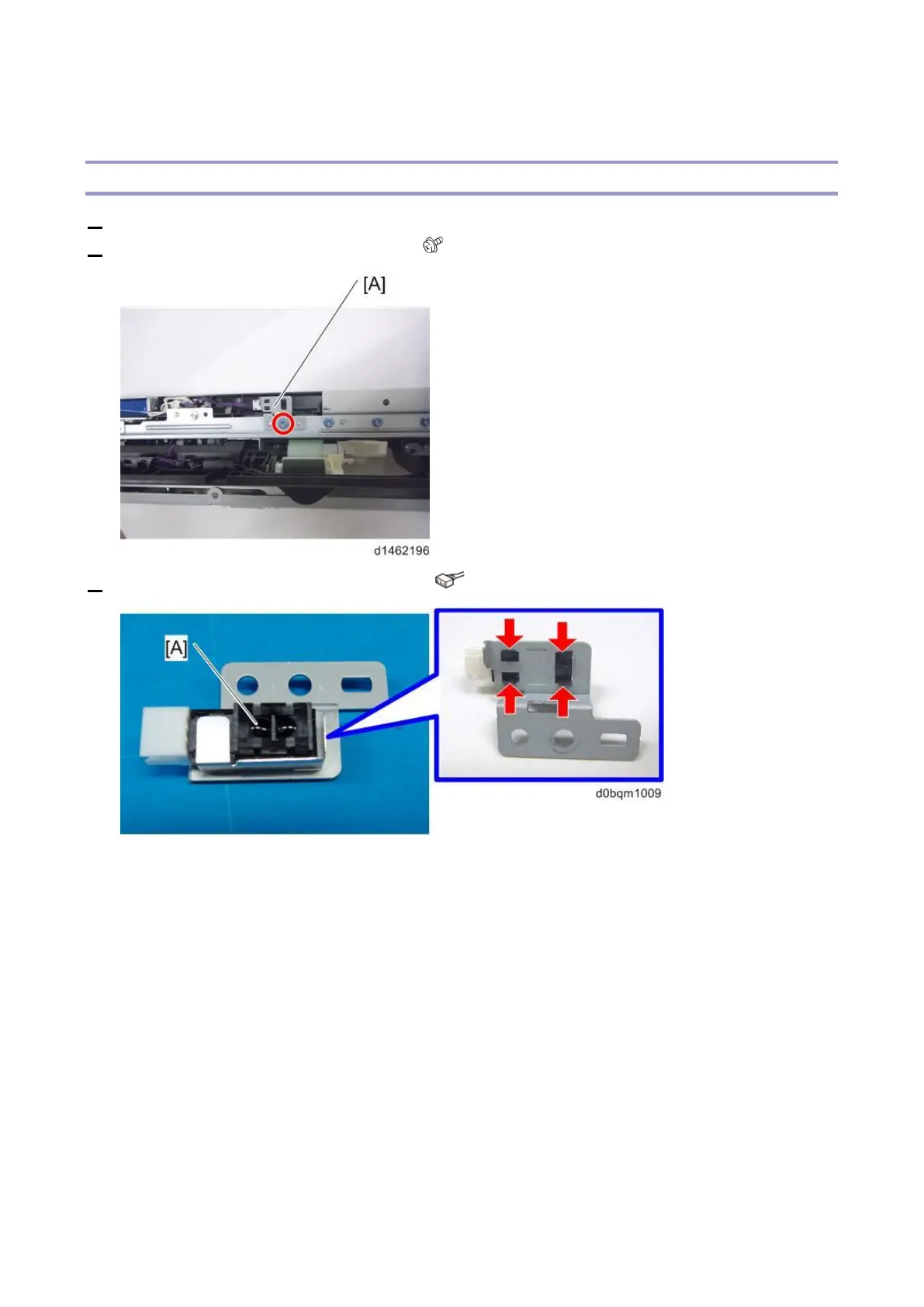
2. Remove the transport sensor bracket [A] ( ×1).
3. Remove the transport sensor (S2) (S7) [A] ( ×1).
Metal cover [A] for antistatic control has been added to the transport sensor.
When replacing the sensor, this cover will also be used after replacement, so remove it from the
old sensor. When you do so, be careful not to deform or damage anything.



 To Next Page