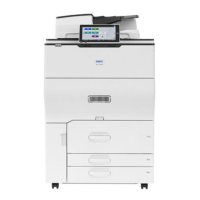
Important
❒
Check the printer nameplate to confirm the model code.
❒
If you want to use the optional paper feed unit at the same time, install the optional paper feed unit first, and then install the duplex unit.
○○○○○○○○○○○○○○○○○○○○○○○○○○○○○○○○○○○○○○○○○○○○○○○○○○○○○○○○○○○○
Caution
•
Before installing options, the machine should be turned off and unplugged for at least
thirty minutes. Components inside the machine become very hot, and could result in a
burn if touched.
•
When lifting the machine, use the grips on both sides. The machine could break or
cause injury if dropped.
•
It is dangerous to handle the plug with wet hands. Doing this may result in receiving an
electric shock.
•
Before moving the machine, unplug the power cord from the outlet. If the cord is unplugged
abruptly, it could become damaged. Damaged plugs or cords can cause an electrical or
fire hazard.
•
The inside of the machine becomes very hot. Do not touch the parts label "hot surface".
Touching a "hot surface" could result in a burn.
•
Do not let go of the duplex reversal unit until it is fastened in place. It could fall and cause
injury.
○○○○○○○○○○○○○○○○○○○○○○○○○○○○○○○○○○○○○
Turn off the power, and then unplug the power cable from
the wall outlet.
Lift the external tray in the direction of the arrow (
a
), and
then remove (
b
).
ZDJP038J
Remove the two small covers on the upper left cover of
the printer.
1
Open the upper left cover.
ZHXH230J
2
Remove the two small covers by pinching and pulling
them in the direction of the arrow.
ZHXH241J
3
Close the upper left cover.
Note
❒ You cannot use the two removed covers.
G348-8600
○○○○○○○○○○○○○○○○○○○○○○○○○○○○○○○○○○
Installing the Duplex Reversal Unit Stand
Check the contents of the box.
Description Q’ty
Stand 1
Paper Guide 1
Short Screw 1
Long Screws 4
Duplex Reversal Unit 1
Duplex Feed Unit 1
Installation Guide (This sheet) 1
Remove the adhesive tape and packing materials.
Important
❒ Do not remove the adhesive tape holding the auxiliary bar yet.
Remove it in step
on Installing the Duplex Reversal Unit.
❒ Do not remove the adhesive tape holding the cable of the du-
plex reversal unit yet. Remove it in step on Installing the
Duplex Reversal Unit.
Duplex Reversal Unit
ZDJP711J
Duplex Feed Unit
ZHXH221J
Duplex Unit Type
7000
(Code: G348)
For Machine Code: G080
INSTALLATION GUIDE

 Need help?
 General

 To Next Page