Taurus-C1 Training
140
Slide 140
Installing the Operation Panel
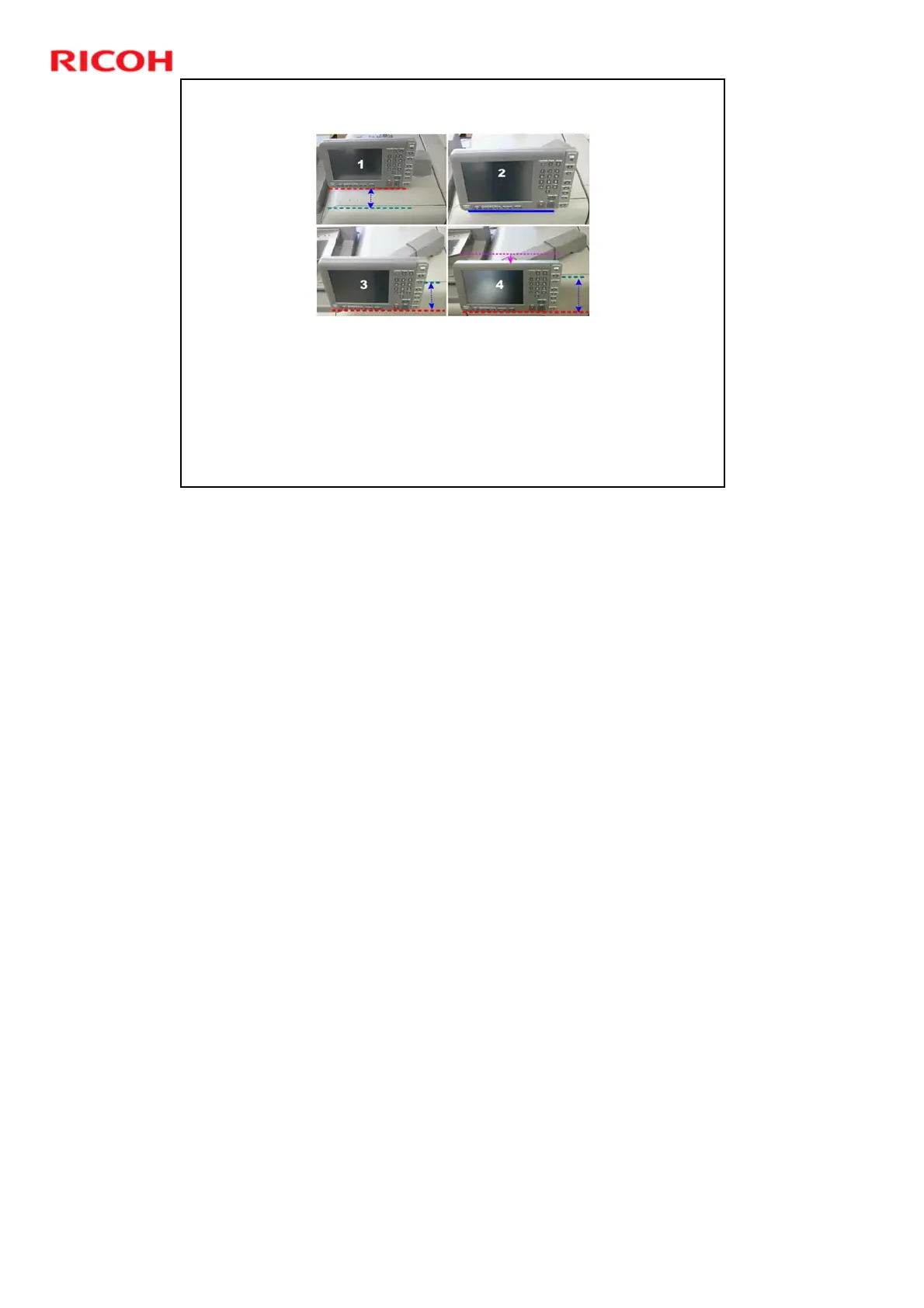
There are four ways to install the operation panel:
Positions 1 to 3 (Standard, Standard Diagonal, Standard Diagonal
Extended) are for use in a standing position.
Position 4 (Easy Access) is for use in a seated position.
Installation for positions 1 and 4 is explained in the installation procedure.
Installation for positions 2 and 3 is explained in the Replacement and
Adjustment section (Operation Panel, Changing the Operation Panel
Position).
Obey the instructions about screw types in these procedures. In some
cases, as stated in the manual, if you use the wrong screw type, you
could damage the operation panel board
1: Standard. The support arm is perpendicular to the right side of the machine
and the operation panel is recessed from the front of the machine.
2: Standard Diagonal. The support arm is set at an angle so that the operation
panel is flush with the front of the machine.
3: Standard Diagonal Extended. The support arm is set an angle (same as
Configuration 2) and the arm is extended so that the operation panel extends
beyond the front of the machine.
4: Easy Access (Sitting Position). This is the same as Configuration 3 but the
operation panel is removed and re-hung on lower hooks so it is lower. This
allows access to the operation panel from a sitting position.
¾ Switching the installation position to the Easy Access position is
complicated: (1) Base screw positions must be changed, (2) Operation
panel must be removed and hung on different hooks, (3) Operation panel
rear plates must be reversed, and (4) Support arm must be extended,
among others.











 To Next Page