Taurus-C1 Training
245
Slide 245
Re-installing a PCDU (4)
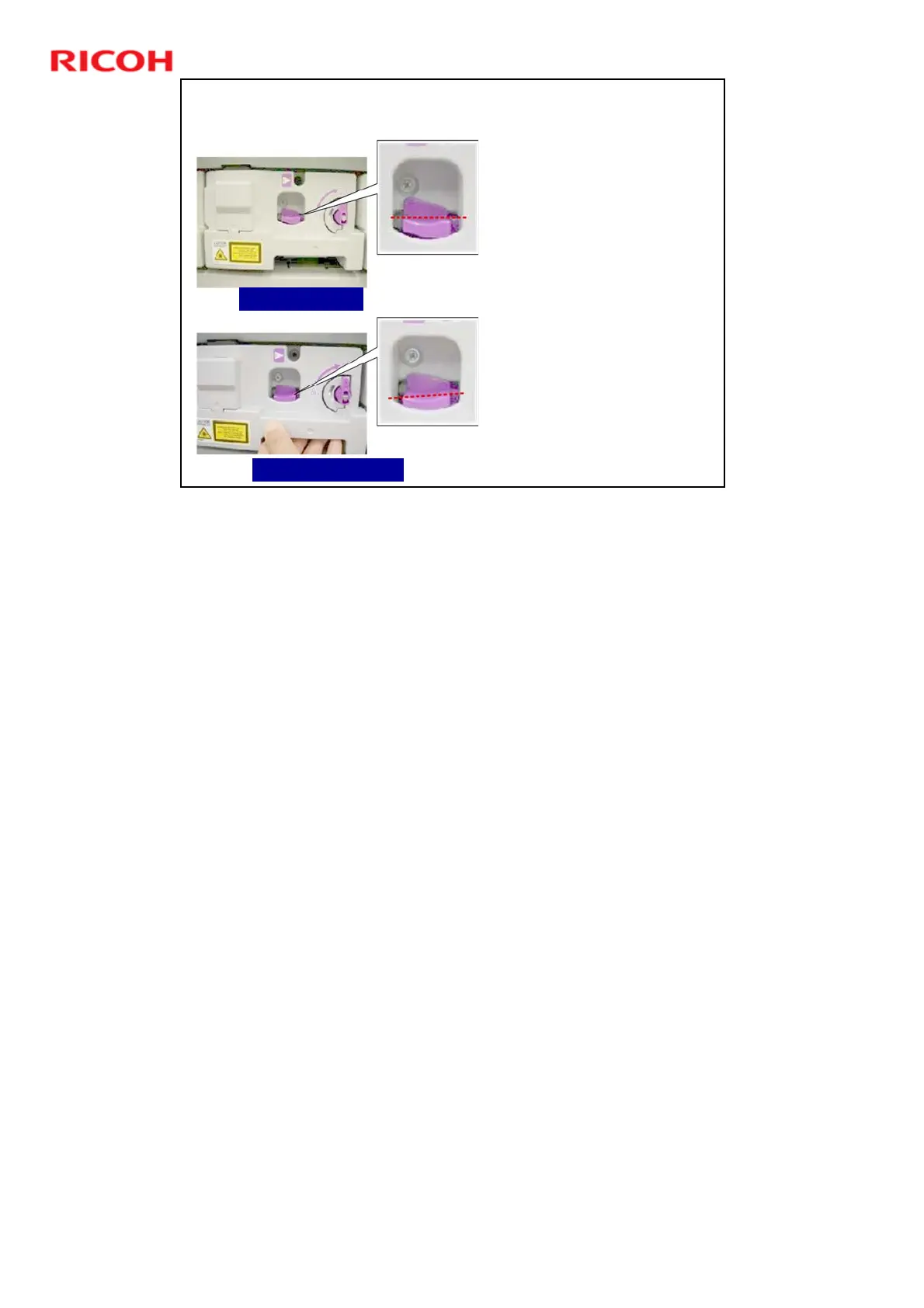
After you push the PCDU into
the machine, make sure that
PCDU is locked correctly.
When the PCDU is locked
correctly, the top of the
lock lever is straight as
shown above left.
If the PCDU is not locked
correctly, the top of the
lock lever is slanted slightly
down to the left as shown
below left.
If the PCDU lock lever is not
locked correctly, the joint on
the inner side of the
photoconductor may not be
properly engaged. Pull the
PCDU out about 30 mm (1.5
in.) and push it in again so
that the top of the lock lever
is level.
Correctly Locked
Not Correctly Locked
No additional notes











 To Next Page