For the most up to date documents, bike models, additional information, instructional videos,
And more visit us at Ride1UP.com
17
6.4 Derailleur/Gears:
Adjusting the gears on a bike so that there is no chain noise can be tricky for a novice. If you are not able to
watch a video explaining how to index the gears, the best thing to do is to take the bike to a local bike shop
for assistance. It is critical that your derailleur is properly tuned/adjusted. If it is not, when shifting into 1st
gear the chain and derailleur may go into the wheel which will quickly damage it if the powerful motor is
running.
7. Charging the Battery:
WARNING ◆ DO NOT LEAVE CHARGING BATTERY UNATTENDED
The battery’s voltage is indicated by the 4 LED lights located on the top of the battery & also on the display
unit located on the handlebars. Your battery must be charged in an ambient temperature, on a non-
flammable & dry surface, away from any sources of heat, humidity or flammable materials. Also, it must not
be covered.
If you ever see a spark while charging your battery. Please inspect the charging port of the battery and the
tip of the charger. Please contact Support@Ride1UP.com and share pictures.
Follow the steps when charging battery:
Step 1. Turn the bike off. The LCD will be off.
Step 2. Plug the charger (which is off) into the socket and then insert the charger plug into the
battery, which is also off. Make sure the charger’s tip is not stressed or supporting the weight of
the charger. Do not wiggle the charger’s tip in the charging port of the battery.
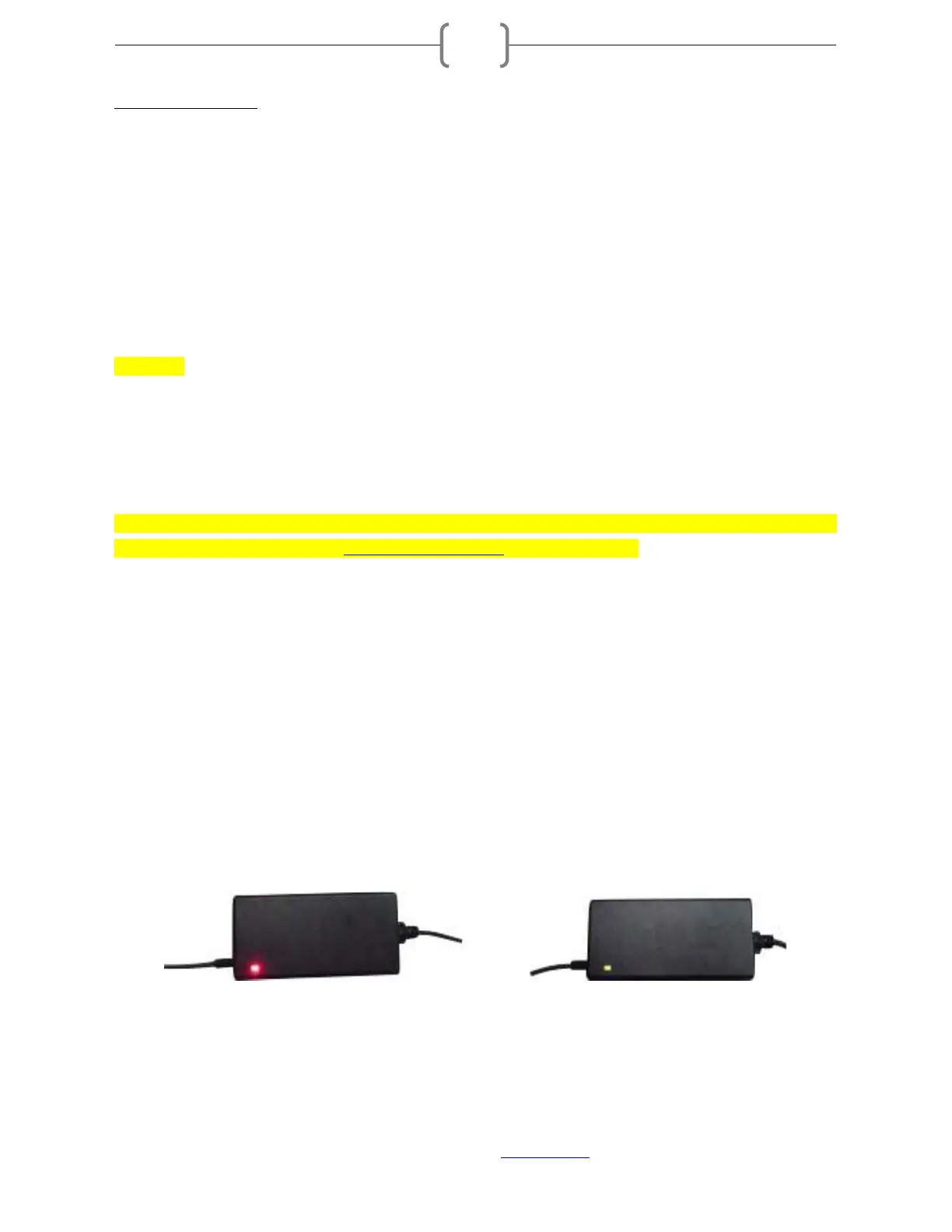
Step 3. The chargers LED indicators light up in the following manner:
The red LED lights on: The battery is being charged. (Figure A)
The red LED light becomes green: The battery is fully charged and you can unplug the
charger. (Figure B)
(A) (B)


 To Next Page