For the most up to date documents, bike models, additional information, instructional videos,
And more visit us at Ride1UP.com
19
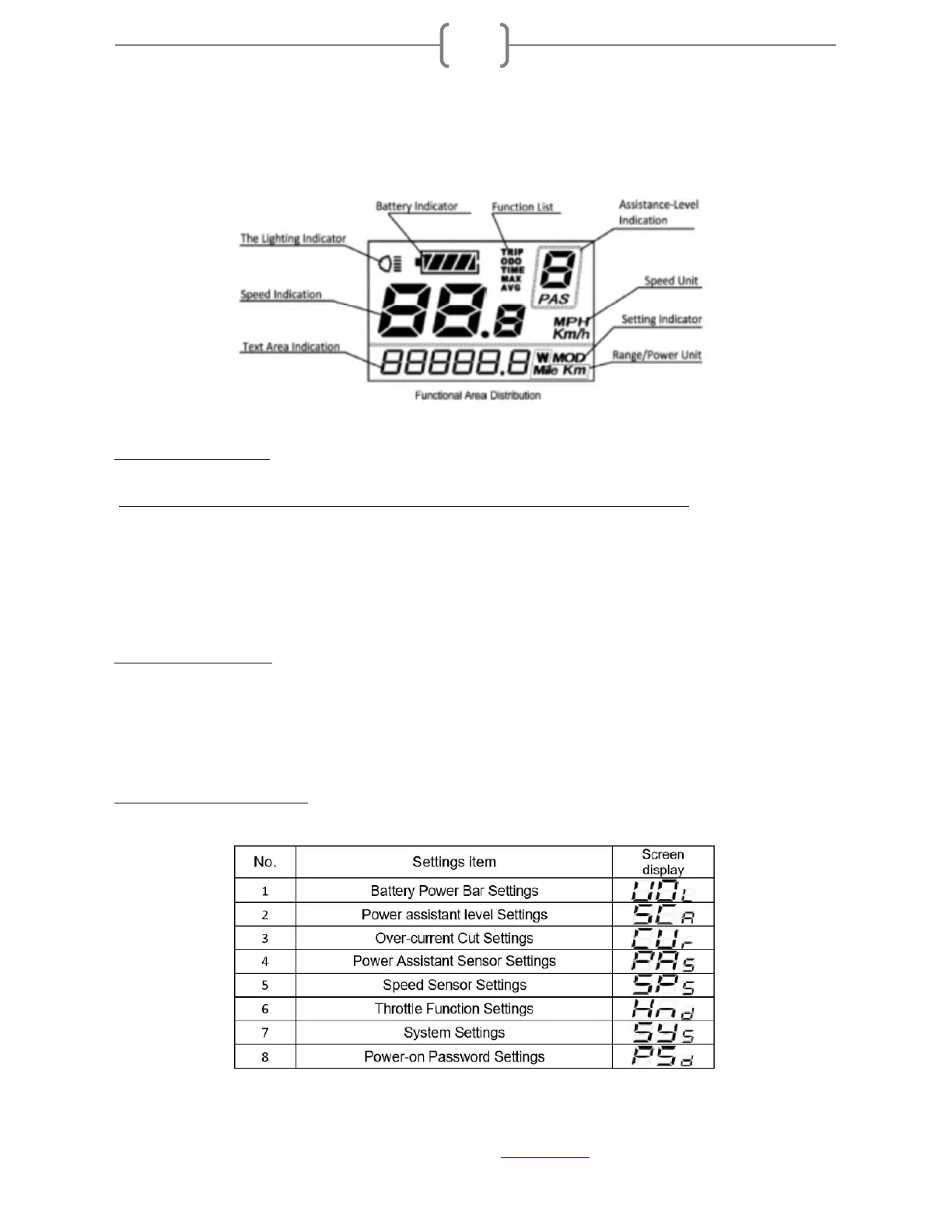
8. Display Instructions:
8.1 General Operation:
(for more information, download the entire LCD manual at ride1up.com/bike/support)
Switching the e-bike System On/Off: to switch on/off the e-bike system, hold the MODE button for
2 seconds.
To turn the headlight on/off, hold the + button.
When parking the e-bike for more than 10 minutes, the e-bike system switches off automatically.
8.2 LCD KM/H to MPH:
To change from KMH to MPH and adjust other settings, turn on the display, press and hold the + and –
button together for 2 seconds. This will open the display’s initial menu. Tap the ‘m‘ button twice until U2 is
showing. Press the + or – button to switch it to U1 which is MPH.
8.3 Screen Display Settings:


 To Next Page