EasyManua.ls Logo

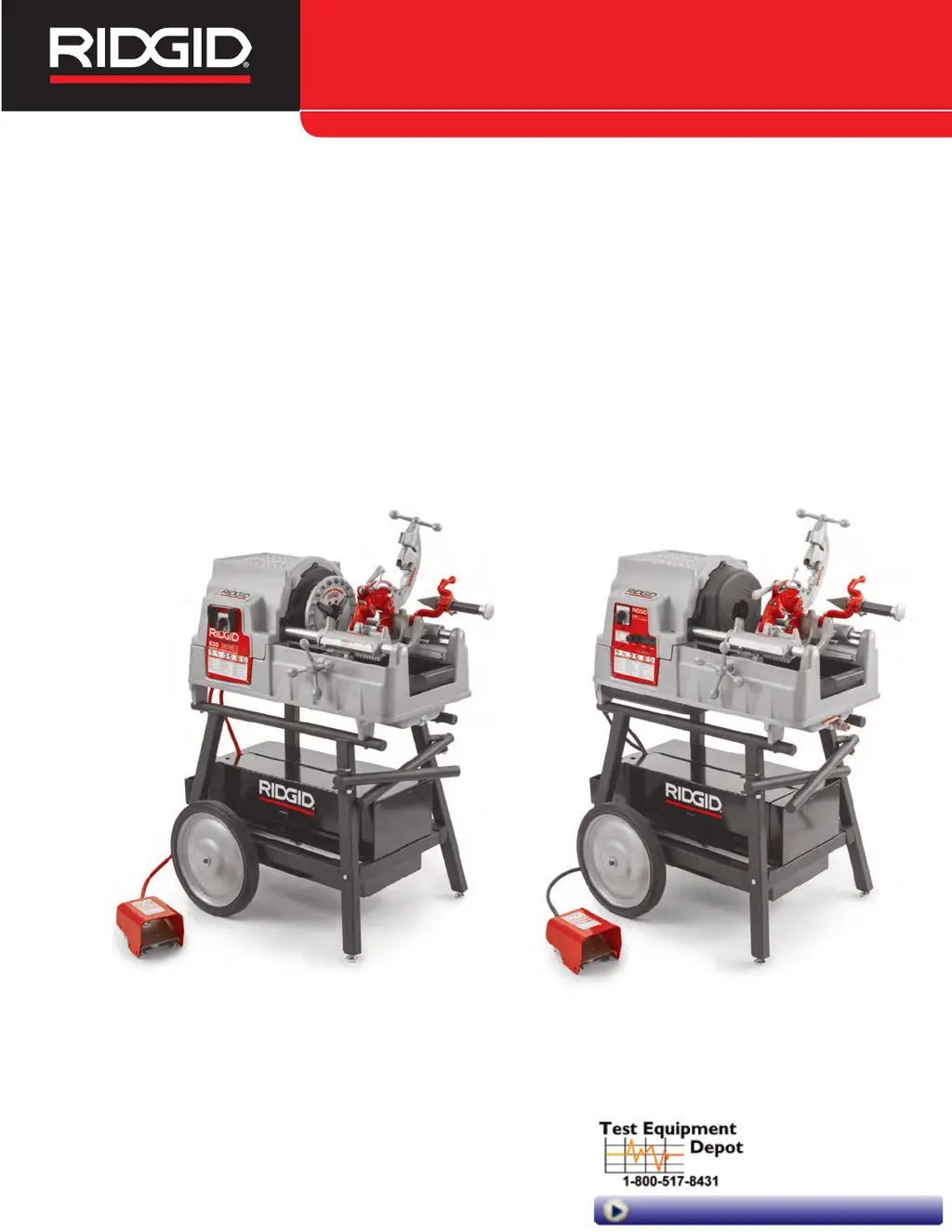
RIDGID 535 Manual Chuck - User Manual

RIDGID 535 Manual Chuck
23 pages
Print Icon
To Next Page IconTo Next Page
Loading...
535 Manual Chuck/535 Auto
Chuck Threading Machines
Threading Machine
Manual
99 Washington Street
Melrose, MA 02176
Phone 781-665-1400
Toll Free 1-800-517-8431
Visit us at www.TestEquipmentDepot.com

Questions and Answers

  • K
    Kelly KnightAug 3, 2025
    What to do if the pipe slips in the jaws of my RIDGID 535 Manual Chuck?
    • L
      Lisa PayneAug 3, 2025
      If the RIDGID Cutter's pipe slips in the jaws, ensure the pipe is centered using the rear centering device. Clean jaw inserts with a wire brush if they are loaded with debris, or replace them if worn out. For the 535M model, tighten the speed chuck by repeatedly and forcefully spinning the hammer wheel. Note that the 535A chuck only grips when rotating. For the 535A, confirm connecting links and jaws are assembled correctly, referring to the Jaw Replacement section. Also, make sure that you use the machine with black or galvanized steel pipe.
  • A
    amandaeverettAug 9, 2025
    Why does my RIDGID 535 Manual Chuck produce torn or crushed threads?
    • J
      jennifer38Aug 9, 2025
      If you're experiencing issues like torn, out-of-round, crushed, or thin threads with your RIDGID Cutter, there might be several reasons. First, the dies could be damaged, chipped, or worn out, so consider replacing them. Make sure you're using only RIDGID Thread Cutting Oil, and replace it if it's dirty or contaminated. Ensure the die head is properly aligned by cleaning any debris between it and the carriage. Check that the die head is correctly set to the proper thread size and that the dies are inserted in the correct order. Also, avoid forcing the carriage feed handle during threading; let the carriage self-feed. Tighten any loose die head cover plate screws.
  • G
    gregoryhaleAug 15, 2025
    What to do if my RIDGID Cutter motor runs, but the machine doesn't work?
    • D
      daniellemcclainAug 15, 2025
      If your RIDGID Cutter isn't running, but the motor is, check several components. Ensure the die head is in the threading (DOWN) position. Inspect the V-belt for looseness or wear, and tighten or replace it as needed. If the carriage isn't moving freely, clean and lubricate the carriage rails. Also, make sure that the machine is not set up for Left Hand Threading (refer to the relevant section).
  • P
    Patricia StewartAug 21, 2025
    How to restore cutting oil flow in my RIDGID 535 Manual Chuck?
    • D
      Devin SmithAug 21, 2025
      If your RIDGID Cutter isn't providing enough or any cutting oil, start by filling the oil reservoir. If that doesn't solve the issue, the oil screen might be plugged; try cleaning it. Remember to use only RIDGID® Thread Cutting Oil.
  • E
    Eric LiuAug 27, 2025
    Why are the threads thin when using my RIDGID 535 Manual Chuck Cutter?
    • J
      johnathanjenkinsAug 27, 2025
      If your RIDGID Cutter is producing thin threads, it could be due to several factors. The pipe wall might be too thin, so use schedule 40 or heavier pipe. Ensure the die head is properly set to the correct thread size. Also, avoid forcing the carriage feed handle during threading; let the carriage self-feed.

Summary

Safety Symbols and Warnings

General Power Tool Safety

General safety warnings for power tools, including fire, shock, and injury.

Electrical Safety Precautions

Safety precautions related to electrical connections and usage.

Operator Safety and Tool Care

Personal Safety Guidelines

Safety practices for the operator's personal well-being.

Power Tool Use and Care

Guidelines for proper operation and maintenance of power tools.

Specific Safety Information

Machine Assembly and Inspection

Pre-Operation Inspection Checklist

Steps to inspect the machine before each use to ensure safety and proper function.

Work Area Setup and Machine Placement

Die Head Setup and Usage

Quick-Opening Die Heads Guide

Information on setting up and using quick-opening die heads.

Inserting and Changing Dies

Step-by-step guide for inserting and changing dies in the die head.

Die Head Adjustments

Adjusting Thread Size

Procedures for adjusting the die head for specific thread sizes.

Self-Opening Die Heads

Information on setting up and using self-opening die heads.

Die Head Operation Details

Adjusting Thread Size for Die Heads

Procedures for adjusting the die head for specific thread sizes.

Operating the Threading Machine

Operating Instructions and Safety

Important instructions for operating the threading machine safely.

Threading Processes

Threading Pipe Procedures

Procedures for threading pipes, including test threads.

Troubleshooting Common Issues

RIDGID 535 Manual Chuck Specifications

General IconGeneral
Chuck TypeManual
MaterialSteel
BrandRIDGID
Model535
CompatibilityRIDGID Power Drive
ApplicationPipe threading
Capacity (Rod)1/4 in. - 1 in. (6 mm - 25 mm)

Related product manuals