PERFORMER Digital Partyline, User Manual, Version 2.30
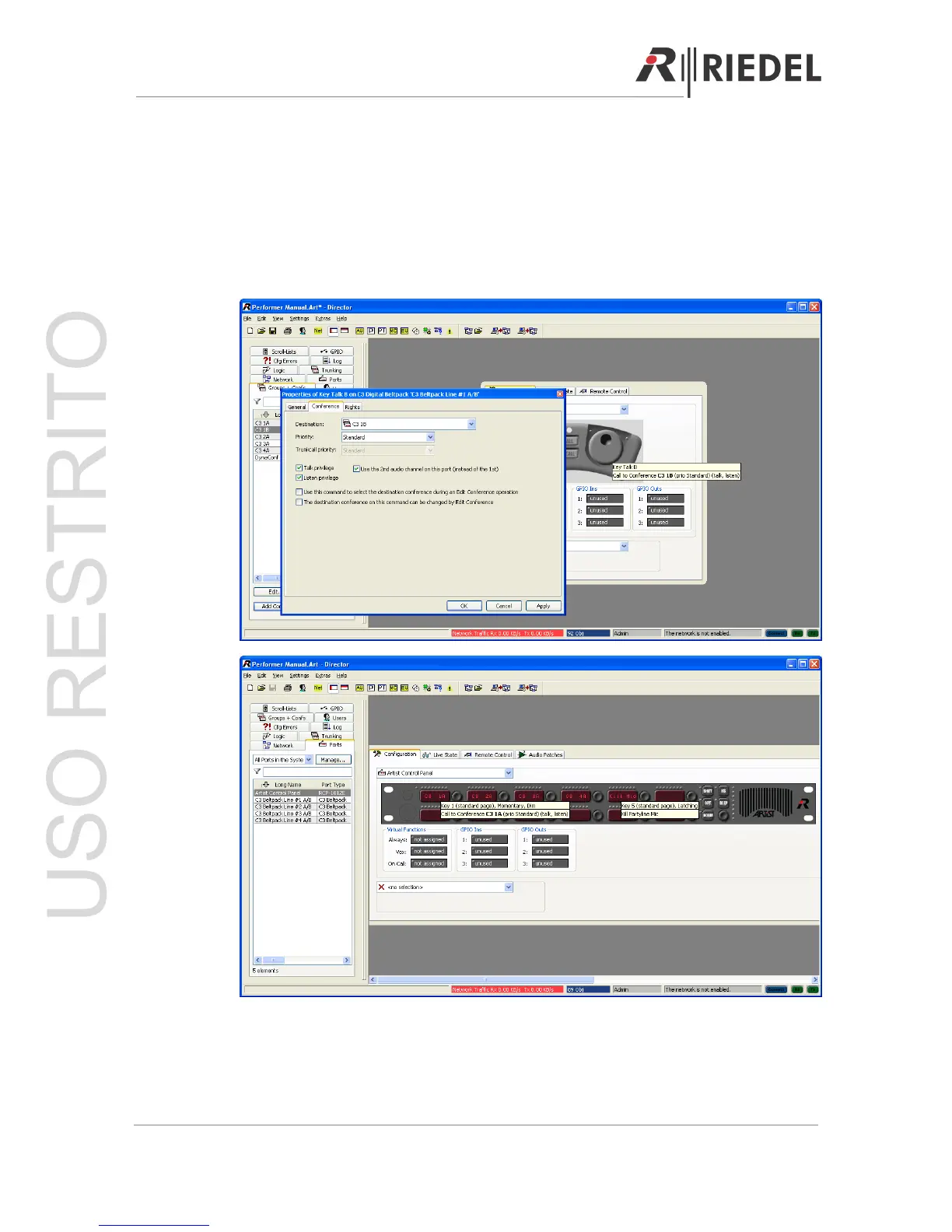
To add a function to the right TALK key channel B (second partyline channel), make a right
click on the second TALK key and select ‘Add function’. Now choose ‘Call to Conference’ from
the menu and select the conference you want to speak to from the partyline.
Check the box ‘Use the 2
nd
audio channel on this port (instead of the first). This will route the
conference to the second partyline channel.
Note: Precondition - The partyline must be configured in two-channel mode!
To talk from a panel to the partyline, simply double click in the ‘ports’ view on the panel you
want to talk from and add the ‘Conference’ to the panel key.
Page 71





 To Next Page