EasyManua.ls Logo

Riedel Performer CR-4 - User Manual

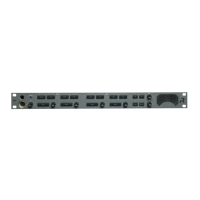
Riedel Performer CR-4
80 pages
Print Icon
To Next Page IconTo Next Page
Loading...
Digital Partyline
CR-4 • CR-2 • C3 • CD-2
CW-2 • C31 • C44 / C44plus
User Manual
USO RESTRITO

Table of Contents

Questions and Answers

  • T
    Travis WattsJul 31, 2025
    What to do if Riedel Performer CR-4 Intercom System device does not start?
    • S
      sarah75Jul 31, 2025
      If your Riedel Intercom System device isn't starting, the issue might stem from a defective cable, exceeding the maximum cable length, or insufficient voltage on the line. As a solution, check the cable, cable length, and power supply.
  • C
    Courtney SmithAug 5, 2025
    Why is there crackling and static on my Riedel Performer CR-4 partyline?
    • K
      Karen WagnerAug 5, 2025
      Crackles and static on the partyline can be caused by a defective cable, exceeding the maximum cable length, or insufficient voltage on the line. To resolve this, check the cable, cable length, and power supply.
  • A
    Albert HutchinsonAug 9, 2025
    How to fix low audio in headset on Riedel Performer CR-4 Intercom System?
    • A
      Antonio Burton PhDAug 9, 2025
      If the audio in your headset is not loud enough, the problem might be due to an incorrect microphone configuration (dynamic/electret). You should verify the type of microphone you're using and adjust the DIP switch on the C3 beltpack accordingly.
  • B
    Bobby MitchellAug 13, 2025
    What to do if C3 cannot talk on Riedel Performer CR-4 partyline?
    • W
      wrightkarlAug 13, 2025
      If the C3 beltpack cannot transmit audio on the partyline, it might be because DIP switches 3 and 4 are in the ON position, which disables speaking on the partyline. Check the DIP switches 3 and 4 and turn them OFF if necessary.
  • R
    richardsonhunterAug 17, 2025
    What to do if C3 cannot talk or listen on Riedel Intercom System?
    • H
      howellamyAug 17, 2025
      If the C3 beltpack cannot transmit or receive audio, it might be because DIP switch 8 is in the ON position, which activates the side tone mode. Check DIP switch 8 and turn it OFF if necessary.
  • M
    Michelle GregoryAug 22, 2025
    What causes no audio signal from intercom matrix to Riedel Performer CR-4 partyline?
    • K
      Kristen ShieldsAug 22, 2025
      The absence of an audio signal from the intercom matrix to the partyline suggests an incorrect configuration of the intercom matrix. As a solution, check the configuration of the intercom system (Director) and inspect the cable connecting the matrix to the partyline.
  • C
    Christopher BakerAug 27, 2025
    What does it mean when the C3 / CW-2 Error LED flickers on Riedel Performer CR-4 Intercom System?
    • A
      Angela NelsonAug 27, 2025
      When the C3 / CW-2 Error LED flickers, it indicates a defective cable or that the maximum cable length has been exceeded. To solve this, check the cable and its length.

Summary

1 SAFETY INSTRUCTIONS

3 PERFORMER CR-4; CR-2 MASTER STATION

Getting Started with CR-4;CR-2

Initial setup and connection guide for the CR-4/CR-2 master station.

CR-4 Master Station: Front Elements

Description of the front panel controls and connectors of the CR-4 master station.

CR-4 Master Station: Rear Elements

Details on rear panel connectors and DIP switch for CR-4/CR-2.

4 PERFORMER CD-2 DESKTOP STATION

Getting Started with CD-2

Initial setup and connection guide for the CD-2 desktop station.

CD-2 Front Elements

Description of the front panel controls and connectors of the CD-2 station.

CD-2 Rear Elements

Details on rear panel connectors and DIP switch for CD-2.

5 PERFORMER C3 DIGITAL BELTPACK

Getting Started with C3 Beltpack

Initial setup and connection guide for the C3 digital beltpack.

6 PERFORMER CW-2 WALL MOUNT STATION

Getting Started with CW-2

Initial setup and mounting guide for the CW-2 station.

7 PERFORMER C31 SPLIT BOX

8 PERFORMER C44; C44 PLUS SYSTEM INTERFACE

Getting Started with C44;C44 plus

Initial setup and connection guide for the C44/C44plus interface.

12 TROUBLESHOOTING

13 SERVICE AND SUPPORT

Riedel Performer CR-4 Specifications

General IconGeneral
BrandRiedel
ModelPerformer CR-4
CategoryIntercom System
LanguageEnglish

Related product manuals