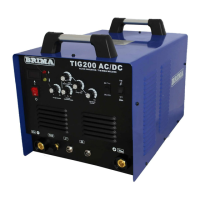
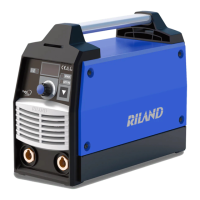
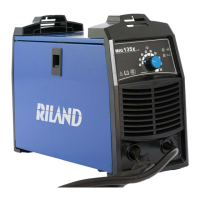
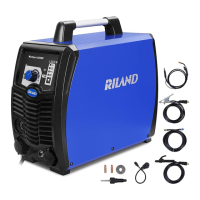
This document describes the ARC 250CT Welding Machine, an inverter gas-shielded welding equipment designed for industrial use.
Function Description
The ARC 250CT is a rectifier that utilizes advanced inverter technology. It converts 50/60Hz frequency up to 100KHz using high-power components, then reduces voltage, commutates, and outputs high-power voltage via PWM technology. This design significantly reduces the weight and volume of the main transformer, increasing efficiency by 30%. The inverter welding equipment is considered a revolution in the welding industry due to its ability to offer a stronger, more concentrated, and more stable arc. It provides quicker response when the stick and workpiece get short, making it easier to design with different dynamic characteristics and allowing for adjustment to make the arc softer or harder.
The MMA (Manual Metal Arc) welding machine offers several key characteristics:
- Effective and Power Saving: Its inverter technology contributes to higher efficiency and reduced power consumption.
- Compact and Light Weight: The design minimizes the size and weight, making it portable and easy to install and operate.
- Stable Arc and Good Welding Pool: Ensures consistent and high-quality welds.
- High No-Load Voltage: Provides sufficient voltage for arc ignition.
- Good Capacity of Force Compensation and Multi-Use: Capable of welding various materials including stainless steel, alloy steel, carbon steel, copper, and other colored metals. It can be used with different types of electrodes (acidity, alkalinity) and is suitable for high-altitude, open-air, and indoor/outdoor decoration applications.
Important Technical Specifications
The ARC 250CT has the following technical parameters:
- Model: ARC 250CT
- Power Voltage (V): 1 phase AC 220V ±15%
- Frequency (Hz): 50/60
- No-Load Voltage (V): 70
- VRD Voltage (V): 18
- Output Current (A): 30-190
- Duty Cycle (%): 30
- Efficiency: 85
- Power Factor: 0.70
- Insulation Grade: H
- Housing Protection Grade: IP21S
- Weight (kg): 6.4
- Dimensions (mm) with angle: 402×160×300
The machine is equipped with power voltage compensation, allowing it to operate normally even with voltage fluctuations of ±15% of the rated voltage.
Usage Features
Installation:
- Ensure the machine's intake is not blocked to prevent cooling system malfunction.
- Connect the fastening plug of the cable to the "+" terminal on the front panel, fasten it clockwise. The earth clamp should be connected to the workpiece.
- Pay attention to polarity: DC welding machines have two connection methods. For positive connection, the holder connects to the "-" terminal and the workpiece to the "+" terminal. For negative connection, the workpiece connects to the "-" terminal and the holder to the "+" terminal. The correct method should be chosen based on the welding situation to avoid unstable arc, spatters, and conglutination. If issues arise, change the polarity.
- Connect the power cable to the power supply box according to the input voltage grade, ensuring the voltage difference is within the permissible range.
Operation:
- Turn on the power switch; the power LED will light up.
- Adjust the welding current and arc-striking push knobs to meet welding demands.
- General welding current recommendations for electrodes:
- φ2.5: 50-90A
- φ3.2: 90-130A
- φ4.0: 140-210A
- φ5.0: 190-270A
Safety Warnings:
- Electric Shock/Burn: Avoid contact with electric parts. Earth the machine and workpiece. Cut off power before installation/checking and wait 5 minutes for capacitors to discharge. Do not use damaged cables or operate with the enclosure removed. Use dry insulation gloves.
- Gas and Fumes: Harmful to health. Use exhaust equipment and breathe preventive facilities. Avoid operation in narrow spaces.
- Fire/Explosion: Sparks and hot workpieces can cause fire. Bad cable connections can cause fire. Incomplete workpiece circuit connections can cause fire. Do not weld on tinder materials or airtight containers. Keep combustibles away from the welding area and have a fire extinguisher nearby.
- Arc Ray/Spark/Residue: Can cause eye inflammation or skin burns. Wear eye protection (welder's gloves, goggles, long-sleeve clothes, leather apron, etc.). Use a screen to protect others.
- Gas Cylinder: Toppling can cause injury. Use correctly with equipped/recommended regulators. Fix cylinders with appropriate holders. Keep face away from cylinder exit when opening. Do not place cylinders under high temperature or sunshine.
- Moving Parts (Fan): Keep fingers, hair, clothes away from the fan.
- Wire End: The wire shooting out of the torch can stab eyes, face, and other naked parts. Keep eyes/face away when feeding wire manually or pressing the switch.
- Electromagnetic Interference: May require extra preventive measures in specific locations. Evaluate potential electromagnetic problems before installation (nearby power/control/signal/phone cables, wireless electric/TV equipment, computers, safety-recognition equipment, health of personnel with pacemakers/audiphones, adjustment/measurement equipment, anti-disturb capability of other equipment, practical state of welding activities). Users are responsible for interference due to welding.
Preventive Measures:
- Environment: Operate in dry environments (max 90% humidity), -10 to 40°C. Avoid sunshine, drippings, dust, corrosive gas, and strong airflow.
- Safety Norms: The machine has protection circuits for over-voltage, over-current, and over-heat. It will stop automatically if these limits are exceeded.
- Ventilation: Ensure adequate ventilation (0.3 meters clearance from objects) for cooling.
- Overload: Do not exceed the maximum duty current to prevent damage.
- Over Voltage: Ensure power voltage is within the allowable range (±15% of 220V).
- Grounding: Ground the earth wire in the power supply cable.
- Overheat Protection: If the machine overheats, it will stop, and the abnormal indicator will light up. Allow it to cool down with the fan running; it will resume operation when the temperature returns to normal.
Troubleshooting (Common Issues):
- Arc-striking difficult/easy to pause: Check electrode quality and dryness. Shorten extra-long cables.
- Output current not to rated value: Occurs when power voltage deviates from rated value.
- Current not stabilizing: Caused by changes in electric wire net voltage or harmful interference.
- Too much spatter: Current may be too high for the electrode diameter, or output terminal polarity connection is wrong (try opposite polarity).
Maintenance Features
- Dust Removal: Regularly remove dust using dry, compressed air. In polluted environments, clean monthly.
- Compressed Air Pressure: Ensure compressed air pressure is within a reasonable range to avoid damaging internal components.
- Circuit Check: Regularly check internal circuit connections for tightness (especially plug-in connectors). Clean any scale or rust and reconnect tightly.
- Moisture Prevention: Prevent water and steam from entering the machine. If it happens, blow dry and check insulation.
- Storage: For long-term storage, place the machine in its packing box in a dry and clean environment.
Troubleshooting and Fault Finding (for qualified electricians):
- Power indicator not lit, fan not working, no welding output: Check power switch, input cable connection (220V), and internal cable connections.
- Power indicator lit, fan not working, no welding output: May be due to over-voltage protection (e.g., connected to 380V), erratic 220V supply (thin/long cable), continuous power switch cycling, or loose internal cables.
- Erratic welding output current or out of control of potentiometer: Potentiometer damage or poor terminal connection.
- Fan working, abnormal indicator not lit, no welding output: Check component connections, output terminal connector, voltage between power source board (VH-07), green indicator on assistant board, or control circuit issues.
- Fan working, abnormal indicator lit, no welding output: Overload current protection, overheat protection, inverter circuit malfunction (damaged fieldistors, transformer of middle board, secondary rectifier tube), or feedback circuit fault.

 Need help?
 General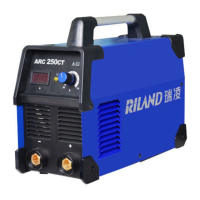

 To Next Page