Proton — User’s Guide
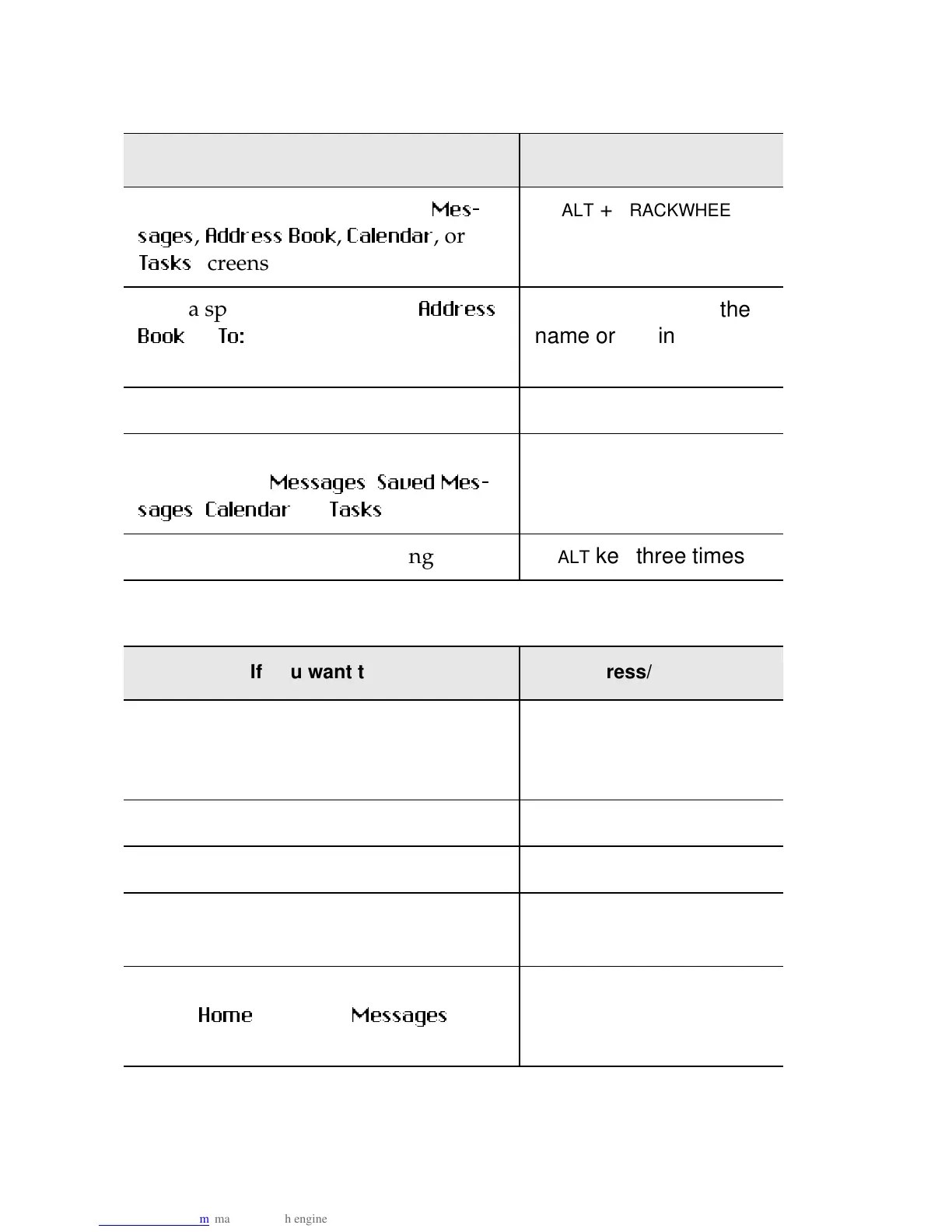
Advanced user’s tips — Tips for navigating
108
Message tips
Scroll a screen at a time in the
0HV
VDJHV
,
$GGUHVV %RRN
,
&DOHQGDU
, or
7DVNV
screens
ALT
+
TRACKWHEEL
Find a specific contact in the
$GGUHVV
%RRN
or
7R
screens
the first letters of the
name or the initials sep-
arated b
a space
Exit a menu, dialog, or list screen
BACKSPACE
Create a new message, appointment,
or task in the
0HVVDJHV
,
6DYHG 0HV
VDJHV
,
&DOHQGDU
, or
7DVNV
functions
C
Activate the LCD backlighting
ALT
ke
three times
If you want to... press/type...
Return to the last cursor position if
you choose to close a message before
you’ve finished reading
G
Go to the next message in the list
N
Go to the previous message in the list
P
Go to the next unread message in the
list
U
Go to the list of saved messages while
in the
+RPH
screen or
0HVVDJHV
screen
V
If you want to... press/type...



 To Next Page