EasyManua.ls Logo

ring Retrofit Alarm Kit - Ring App Setup Instructions; Adding the Retrofit Alarm Kit to Ring App

ring Retrofit Alarm Kit
20 pages
Print Icon
To Next Page IconTo Next Page
To Previous Page IconTo Previous Page
Loading...
11
Setup instructions
Add the Retrofit Alarm Kit to the Ring app.
You’ll need to have a Ring account with a Ring Alarm system set up at your
location first before you can set up and use the Retrofit Alarm Kit.
Add the Retrofit Alarm Kit to the Ring app:
1. Open the Ring app.
2. Tap the Menu (three lines in the upper left corner), and select Set Up a Device.
3. Tap Security Devices.
4. Tap Retrofit Alarm Kit.
5. Tap Retrofit Alarm Kit again.
6. Tap Ready.
7. The Ring app will take you step-by-step through the process of
adding the device.
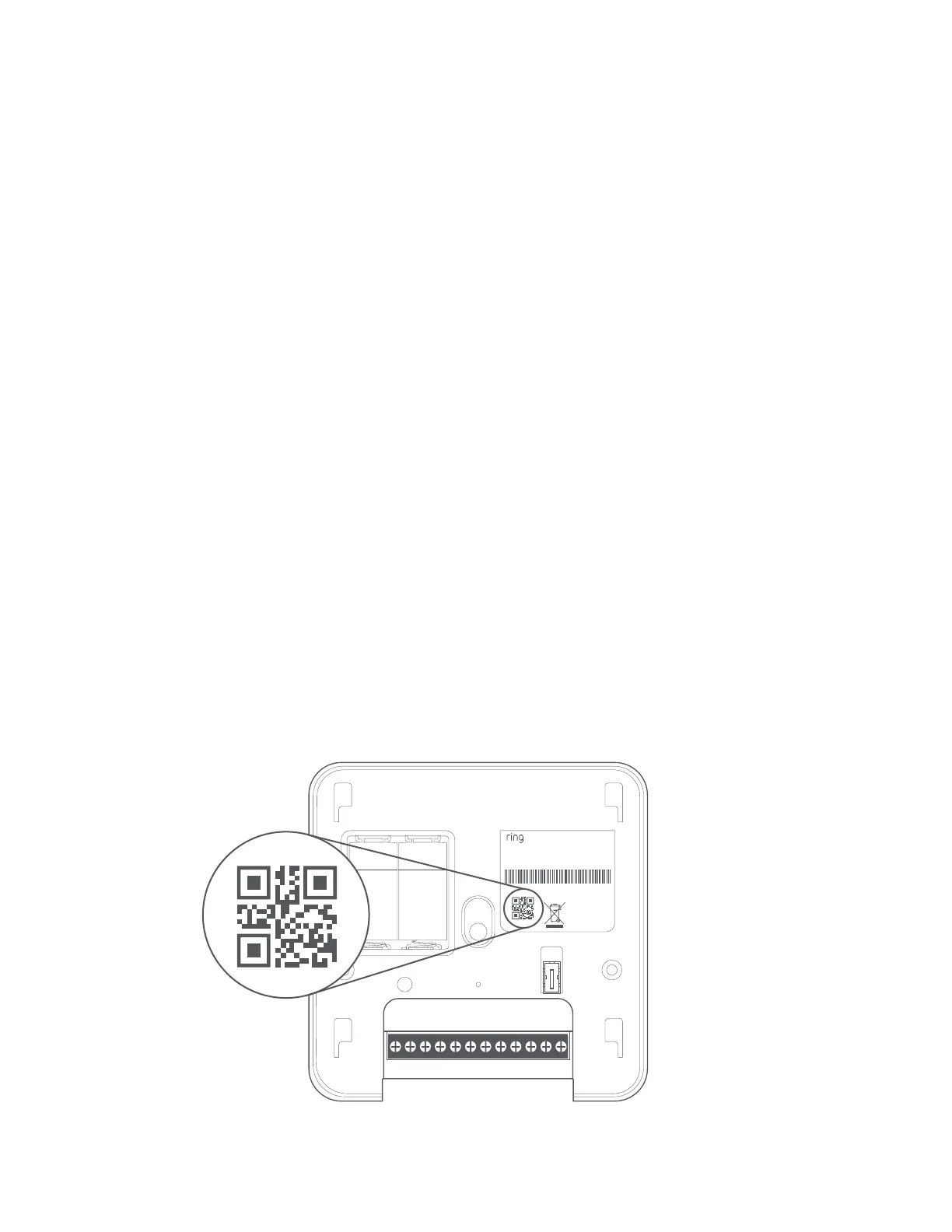
• First, open the front cover. The app will prompt you to scan the QR code on
the cover or on the card located inside the box.







1C23C45C67C8







1C23C45C67C8







1C23C45C67C8







1C23C45C67C8

Related product manuals