Need help?
Do you have a question about the ring Base Station and is the answer not in the manual?
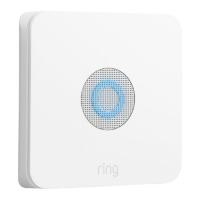
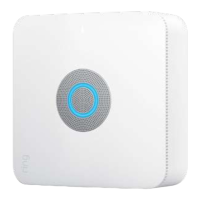
Describes the Ring Alarm Base Station and its role in monitoring sensors.
Explains the role of the monitoring station in responding to alarm signals.
Defines the states 'faulted' and 'cleared' for sensors in the Ring Alarm system.
Details how permits are obtained, managed by Ring, or not required.
Guidance on testing system functionality during the initial practice period.
Monitors all sensors for maximum security when no one is home.
Monitors exterior sensors, allowing movement inside the home.
Disables all sensor monitoring for easy entry and exit.
Instructions for arming and disarming the system using the keypad and app.
Allows arming the system with a sensor in an insecure state.
Provides time to leave the home after arming the system.
Allows time to enter and disarm the system upon returning home.
How to choose which sensors are monitored in each security mode.
How to change entry delay settings for specific sensors or modes.
Guidance on optimal placement for the Ring Base Station.
Advice on placing Range Extenders to improve network coverage.
Recommendations for placing Motion Detectors for effective detection.
Step-by-step instructions for installing the contact sensor and magnet.
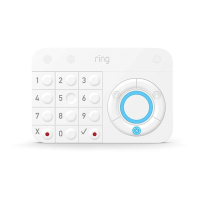
Instructions for mounting the keypad on a wall or placing it on a table.
Defines what constitutes a false alarm and its implications.
Provides suggestions and best practices to minimize false alarms.
Steps taken when the alarm sounds, involving monitoring station and responders.
How to choose and prepare emergency contacts for your system.
Explains the purpose and importance of the verbal security password.
Defines the full control privileges of a system owner.
Outlines the limited access and control for shared users.
How to customize which events trigger notifications on the system.
Addresses challenges of placing contact sensors on angled or irregular trim.
Guidance on testing sensors and system functionality during practice mode.
Explains the timing of calls from the monitoring station after an alarm.
Clarifies that the monitoring station does not access Ring cameras.
Details how battery and cellular backup ensure system operation during outages.
Key information to include in a family exit plan for emergencies.
The Ring Alarm Kit is a comprehensive security system designed to monitor your home and alert authorities in the event of an emergency. It integrates various sensors and devices to create a robust security perimeter, offering both professional monitoring and self-monitoring options.
The core function of the Ring Alarm Kit is to detect security breaches and trigger an alarm. This system is built around the Ring Alarm Base Station, which acts as the central hub, communicating with all other Ring Alarm devices and, if professionally monitored, with a central monitoring station. When a sensor detects an anomaly while the system is armed, the Base Station sounds an alarm and sends an alarm signal.
Professional monitoring, available with a Ring Protect Plus subscription, means a team of people watches over your home. If an alarm signal is sent, a support agent calls you to verify the emergency. If there's an emergency, they can dispatch authorities. The system also includes a "Practice Mode" for a seven-day period after setup, allowing you to test the system without dispatching emergency responders. This mode is crucial for ensuring all sensors are correctly installed and communicating with the Base Station.
The system operates in three main security modes:
The Ring Alarm Kit also incorporates Entry/Exit Delay features, which are countdowns that allow you to enter and leave your home without immediately triggering the alarm. The Exit Delay provides time to leave after arming, while the Entry Delay gives you a short window to disarm the system upon re-entry. These delays can be customized to suit your needs, ranging from 30 seconds to two minutes.
A panic mode is also integrated into the system, triggered by simultaneously pressing and holding the "✔" and "X" buttons on the Keypad. In self-monitored systems, this triggers the alarm on the Base Station and Keypad. In professionally monitored systems, it sends a signal to the monitoring station, leading to the dispatch of police.
The Ring Alarm Kit is designed for user-friendly operation, offering multiple ways to arm and disarm the system and manage its settings.
Maintaining your Ring Alarm Kit ensures its continued effectiveness and reliability.
 General
| Operating Temperature | 32°F to 104°F (0°C to 40°C) |
|---|---|
| Connectivity | Wi-Fi |
| Backup Battery | 24-hour backup |
| Siren | 104 dB |
| Compatibility | Ring Alarm devices, select Z-Wave devices |
| Power Source | Plug-in AC Adapter |

 To Next Page