Need help?
Do you have a question about the ring Alarm and is the answer not in the manual?
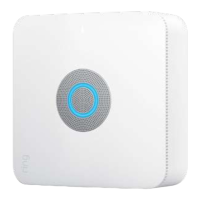
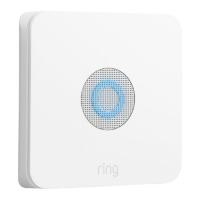
The central hub of your Ring Alarm system, connecting devices to the Ring app for remote control.
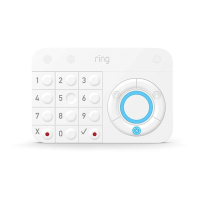
Provides hands-on control of Ring Alarm, mountable or table-placed, battery or power operated.
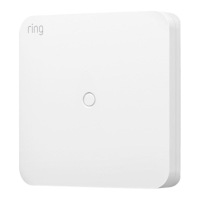
Extends the Z-Wave wireless network to reach distant Alarm devices.
Alerts you to movement inside your home, mounts using included hardware.
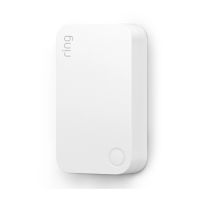
Alerts when a door or window is opened, uses sensor magnet.
Shows sample house setup; customize your Ring Alarm setup to meet your own needs.
Download the app, create an account, and follow in-app instructions for setup.
Requires the Ring – Always Home app and internet connection; find help at ring.com/alarm-faq.
Ensure Bluetooth is enabled on your mobile device before starting the Base Station setup.
The Base Station automatically updates software upon first internet connection; update takes minutes.
Light ring glows blue with spinning yellow indicator during update; solid blue means update is complete.
Automatically calls emergency contacts when a security issue is detected.
Needed for Assisted Monitoring, includes 24/7 cellular backup if internet fails.
Subscribe to Ring Protect Plus via web, then configure Assisted Monitoring in app settings.
Alarm sounds locally but does not notify monitoring service or emergency contacts.
Devices are set up in three steps: Connect, Configure, and Install.
Pull device tabs one at a time as prompted by the app to simplify setup.
Each device has a unique QR code and 5-digit code on the back for easy identification in the app.
Install on doors/windows; ensure sensor and magnet align within 1.27cm (1/2").
Install on accessible doors/windows, including upper floors near obstacles.
Connect by pulling tab, configure placement (e.g., Main Door), and install sensor/magnet.
Configure Main Door/Secondary Door settings for Entry/Exit delays to prevent false alarms.
Removing battery cover temporarily flags sensor as 'tampered' in the app.
Detects movement within the home; notifies on first detection in normal mode.
Normal mode notifies first detection; Test Mode notifies every 15 seconds for testing.
Install 1.2m (7') high, in corner or on wall, with a clear line of sight.
Avoid heat sources, adjust sensitivity for pets, and prevent climbing on furniture.
Connect by pulling tab, configure placement/name, install bracket, then snap detector on.
Place in hallway or near entry/exit door for convenient arming and disarming.
Install on wall using bracket or place on table; configure name, room, and access code.
Expands network range; best placed between Base Station and distant devices.
Plug in, configure name/room in app, and install between Base Station and devices.
System has Disarmed, Away, and Home modes, switchable via Keypad or Ring app.
Arm or disarm the system using your personal access code on the Keypad or via the Ring app.
Press and hold the X and ✓ buttons on the Keypad simultaneously for three seconds.
Temporarily ignore a sensor to arm the system without triggering it.
Bypass sensors using the Keypad or receive notifications and bypass via the app.
Configure Keypad button light behavior (always on, on press, or on motion).
Set timed delays for leaving (Exit) and entering (Entry) to prevent false alarms.
Customize which sensors are armed in Home and Away modes for specific needs.
Compares Assisted Monitoring (via Protect Plus) with Self-monitoring during security threats.
Defines access levels for Owners, Shared Users (family/friends), and Guest Users (visitors).
Add Shared/Guest Users via app settings; remove access or delete users.
Configure notifications for alarms, low battery, and other events in app settings.
Practice arming/disarming, understanding modes, and avoiding false alarms for better use.
Tips include proper user access, testing delays, checking detector coverage, and secure sensors.
Provides phone numbers for customer support and links for more information.
Links to the latest Ring Alarm guide and Z-Wave technical information.
 General
| Operating Temperature | 32°F to 104°F (0°C to 40°C) |
|---|---|
| Compatibility | Works with Alexa |
| Mobile Alerts | Yes, via Ring App |
| Installation | DIY Installation |
| Warranty | 1-year limited warranty |
| Base Station Connectivity | Wi-Fi |
| Sensor Compatibility | Ring Contact Sensor, Ring Motion Sensor |
| Mobile App | Ring App (iOS, Android) |
| Connectivity | Wi-Fi |
| Backup Battery | 24-hour battery backup |
| Sensors Included | Contact Sensors, Motion Detectors |

 To Next Page