Setup
21
Setup procedures
Press the [SETUP] key on the remote control or touch the setup icon
[ ] on the user interface.
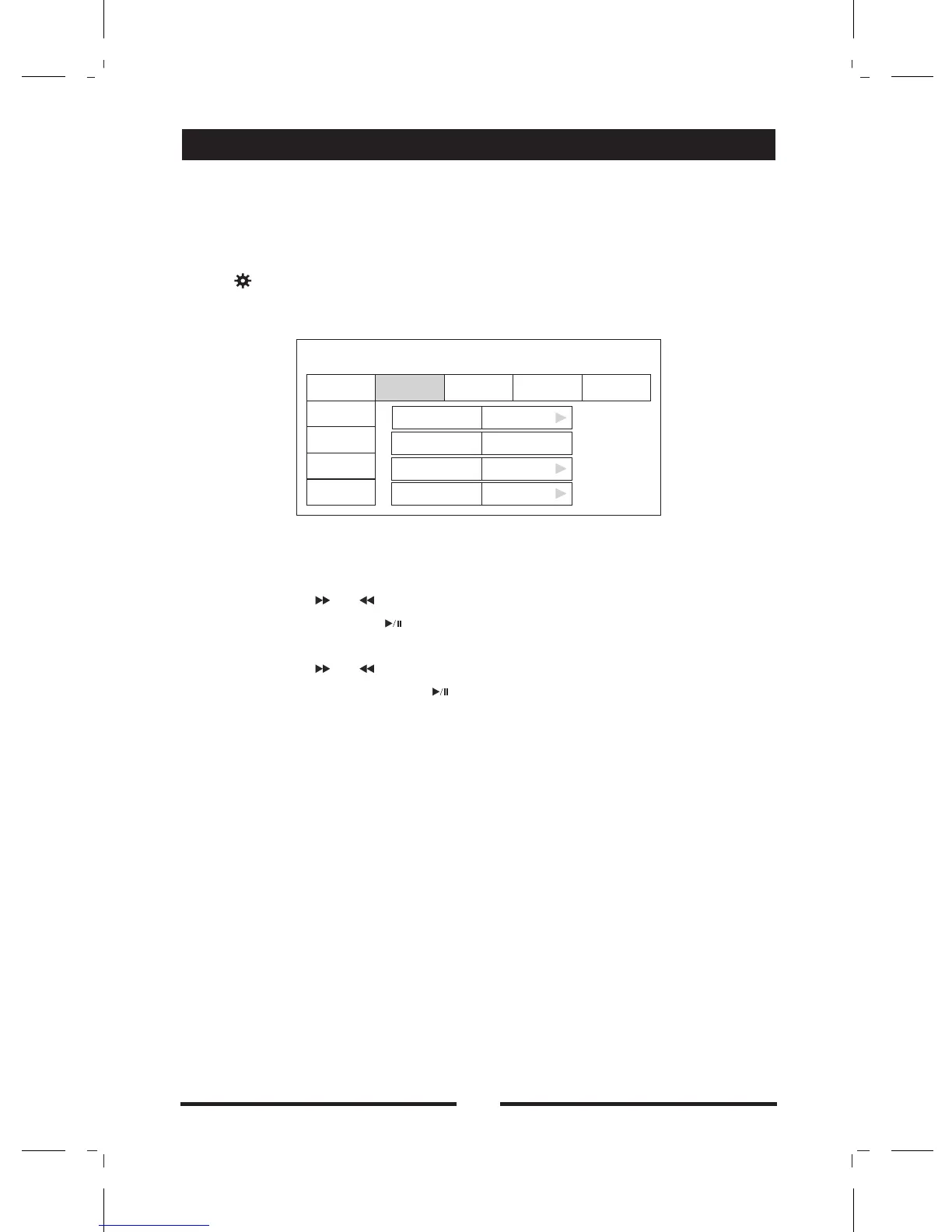
The following menu appears after entering the setup mode.
The GENERAL sub-menu is highlighted by default.
(2)Select one sub-menu
Press the direction keys on the remote control.
(3)Select one item
Press the [ ] / [ ] key on the remote control to select one item
and then press the [ ] key to confirm.
(4)Select one value
Press the [ ] / [ ] key on the remote control to select one suitable
value and then press the [ ] key to confirm.
All following settings can be done by touching the option directly.
General
Clock mode
12Hr: the clock displays in the type of 12 hours such as 11:18 AM.
24Hr: the clock displays in the type of 24 hours such as 20:18.
Clock
Adjust the clock displayed on the top right corner of the TFT screen.
Tuner Region
The unit provides several radio systems and you can select a correct
radio system according to your country.
Beep
: Background sound of key-press is on.
Background sound of key-press is off.
:
●
●
●
●
On
Off:
(1)Enter setup mode
Note
SETUP MENU
General
Language
Audio
Clock Mode
12Hr
Clock
11:18 AM
Tuner Region
Europe
Beep
Off
Back
Rating
Hardware
P.VOL
TS CAL
RDS


 To Next Page