EasyManua.ls Logo

Risco WL Panda - Keypad Settings; Proximity Tag Operation

Risco WL Panda
64 pages
Print Icon
To Next Page IconTo Next Page
To Previous Page IconTo Previous Page
Loading...
04/2021
Page 10
5IN2812 E
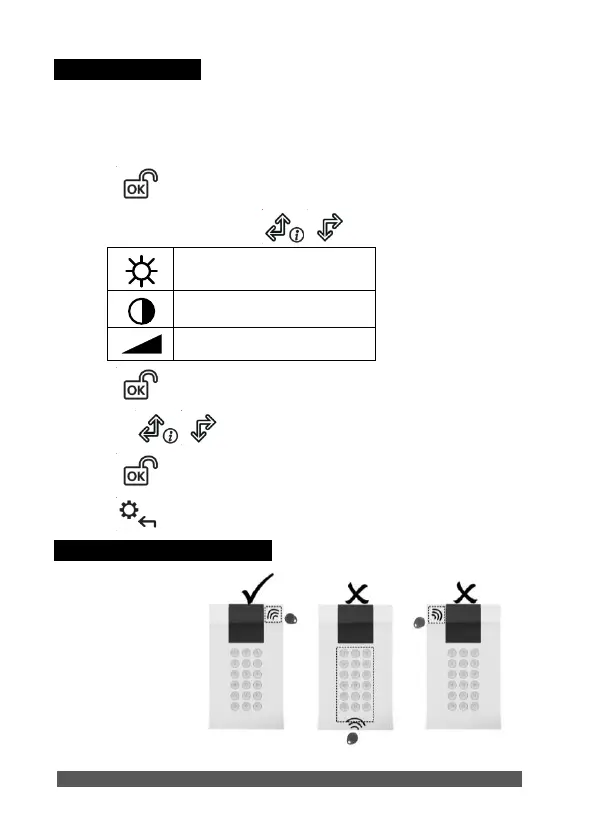
Keypad Settings
Note: The following settings must be defined individually for each keypad
connected to the system.
To define keypad settings when idle follow this procedure:
1. Press for two seconds until the Keypad Settings menu appears
2. Select the relevant icon using the keys:
Brightness
Contrast
Keypad’s buzzer volume
3. Press .
4. Press the keys to adjust the level settings.
5. Press to save the adjustment.
6. Press to exit the keypad settings.
Proximity Tag Operation
Present the
Proximity Tag to
the keypad (after
waking the keypad)
as shown in the
following
illustrations:
Figure 8

Related product manuals