To Next Page
M
Michael GarciaAug 1, 2025
What is a Jam Error on my Riso Printer?
- CChristina ButlerAug 2, 2025
The Riso Printer displays a Jam Error when the master is jammed.

What is a Jam Error on my Riso Printer?
The Riso Printer displays a Jam Error when the master is jammed.
Why does my Riso Printer show a Consumable Error?
The Riso Printer will show a Consumable Error when a consumable item, like the ink or master roll, runs out.
What does Installation Error mean on my Riso RZ 970 Printer?
The Riso Printer shows an Installation Error when a component or unit hasn't been properly installed.
What does Optional Device Error mean on Riso Printer?
The Riso Printer displays an Optional Device Error when there is an error on the optional device or Linked Printer.
 General
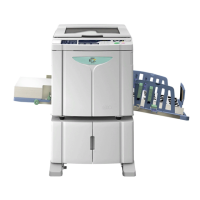
| Type | Digital stencil duplicator |
|---|---|
| Printing Method | Stencil printing |
| Print Speed | Up to 130 pages per minute |
| Maximum Paper Size | 310 mm × 432 mm |
| Print Area | 290 mm × 412 mm |
| Paper Weight | 46-210 g/m² |
| Stencil Making Time | Approx. 20 seconds |
| Ink Colors | custom colors available |