Note: In this section you will find
some special functions. Press OK
to access.
Important! To access the special
functions, you must type in the 4-
digit code. There is a different
code for each function. Press OK
to confirm.
Celsius/Fahrenheit setting
Type the code 1110 to set
temperature on Celsius or
Fahrenheit degrees.
Press B (Increase/Decrease) to
select CELSIUS or FAHRENHEIT.
Press OK to confirm.
Date and time setting
Type code 1000 (using the B
pushbuttons). Press OK to confirm.
Insert the date. Press OK to
confirm.
Insert the time. Press OK to
confirm.
PDF/PG1 file download selection
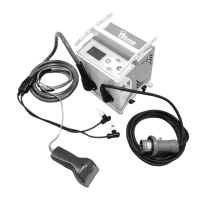
Elektra light allows to download
the welding reports in either PDF
or custom PG1 format
(compatible with PC software
Ritmo transfer)
Type code 1122. Press OK to
confirm.
Select ‘FILE PG1’ or ‘FILE PDF’ with
+/- buttons. Use OK to confirm.



 To Next Page