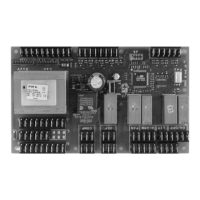
This document describes the AN203T-2F Blocksystem, an electronic control unit for cold rooms, with a production code of FAL016G012-DI. It provides detailed instructions for its use, maintenance, and programming.
Function Description
The Blocksystem is an electronic control unit designed to manage the temperature and operation of cold rooms. It features a control panel with various LEDs and buttons for monitoring and adjusting settings. The system controls the compressor, fans, and defrosting cycles, and includes alarm functions to alert users to potential issues. It supports different temperature ranges (High, Medium, Low) and defrosting types (heating element, hot gas). The unit can operate as a standalone system or as part of a network (Master/Slave or Remote Control).
Important Technical Specifications
- Temperature Ranges:
- High Temperature (HBP): Minimum +2°C, Maximum +10°C
- Medium Temperature (MBP): Minimum -5°C, Maximum +5°C
- Low Temperature (LBP): Minimum -25°C, Maximum -15°C
- Probes: Supports up to three probes (coldroom temperature, evaporator temperature, and an optional third probe).
- Relay Outputs: Status can be monitored.
- Digital Inputs: Status can be monitored.
- Parameters: Divided into Level 0 (Setpoint), Level 1 (frequently used), and Level 2 (configuration), with different access levels (direct, without password, with password).
- Defrosting Types:
- Heating element: Ends at temperature or after maximum safe time (timeout).
- Hot gas: Ends at temperature or after maximum safe time (timeout).
- Network Capability: Can be configured for Master/Slave or Remote Control operation, allowing multiple units to be managed.
- Power Supply: Operates on 230 Vac.
Usage Features
- Starting the Machine: Requires all locking screws to be tightened, electrical connections made, and the coldroom door closed.
- Switching On/Off: Hold the "ON/OFF" key for more than 5 seconds. The display shows "OFF" and alternates with the coldroom temperature.
- Control Panel:
- LEDs: Green "COMPRESSOR" (on/off/blinking for pending request), Green "FANS" (on/off/blinking for pending request), Green "DEFROSTING" (on/off/blinking for manual defrosting/pending request/network synchronized), Yellow "ALARM" (off/serious alarm/non-serious alarm or silenced serious alarm).
- Buttons:
- "SETPOINT" (set): Displays setpoint, accesses programming menu, views machine status (1s hold), enters programming mode (5s hold).
- "UP": Commands manual defrosting (5s hold), increases parameter values, scrolls forward through menus.
- "ON/OFF": Manual on-off control (5s hold), confirms parameter values, returns to previous menu.
- "DOWN": Commands lights manually (1s hold), decreases parameter values, scrolls back through menus.
- Coldroom Temperature Adjustment: Direct access to setpoint adjustment using the "SETPOINT", "UP", and "DOWN" keys.
- Parameter Variation:
- Level 0 (Setpoint): Direct access.
- Level 1 (Frequently Used): Accessed by holding "SET" for 5 seconds, navigating with "UP"/"DOWN", and confirming with "SET"/"ON/OFF".
- Level 2 (Configuration): Password-protected access (password 22). Accessed by holding "SET" for 7 seconds, navigating to "PPS", entering the password, then using "UP"/"DOWN" to access parameters.
- Machine Status Display: Press "SET" to view "SEt" or "AAL" (alarms). Use "UP"/"DOWN" to scroll through alarm, output, or input statuses.
- Alarm Signals: In case of an alarm, the relevant code is shown on the display (alternating with temperature), the alarm LED switches on, and the alarm relay is triggered. Pressing any button deactivates the relay and makes the LED blink.
- Display Codes: Various codes indicate operational status (e.g., "OFF" for stand-by, "dF" for defrosting in progress, "uM" for master unit, "Cn" for connection interrupted).
Maintenance Features
- Restoring Factory Settings: A procedure is available to restore all factory settings. This involves cutting power, holding "set" and "down" keys, and switching the Blocksystem on. This operation restores settings for a medium-temperature machine with "hot gas" defrosting. For other applications, specific programming is required using the "CPP parameter programming chart".
- Emergency System: In case of electronic control unit breakdown, an emergency system can be activated to maintain unit operation temporarily. This involves specific wiring modifications (removing jumpers, connecting a thermostat, fitting a jumper for crankcase heaters) and requires setting the thermostat to the desired temperature. This is a temporary solution, and a specialist technical engineer should be contacted immediately for replacement. Defrosting is cut out during emergency operation, so door opening should be minimized.
- Data Saving Alarm (EE): Indicates that default parameters are loaded, which may require re-configuration.
- Condenser Cleaning Alarm (Ec): A blinking LED indicates the need for condenser cleaning.
- Network Alarm (Er): Signals issues with network communication.

 Need help?
 General

 To Next Page