5.10 Cruise speed
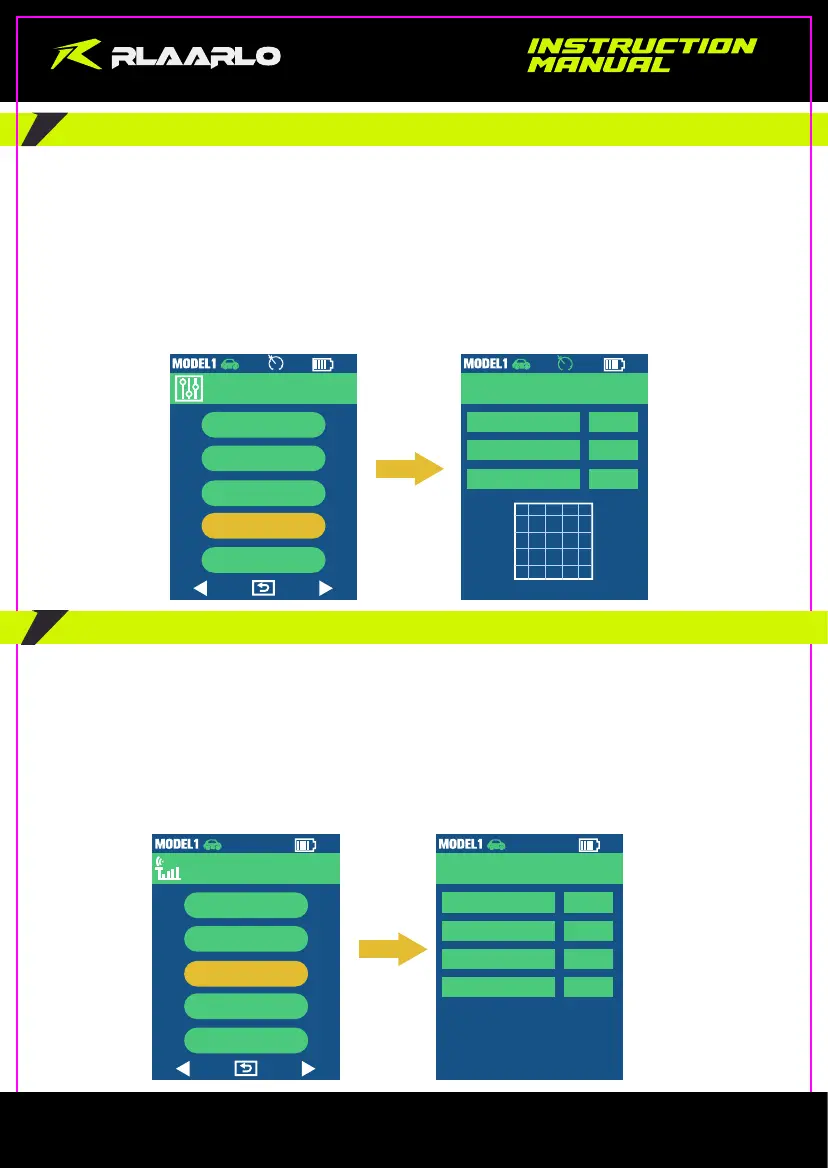
Enter the Cruise Speed interface through “MIX Setup”--> “ESC Setup”--> “CCS”.
When the value of “CCS” is set to “ON”, a white icon will be displayed on the main interface.
When the product is under Cruise Speed Mode, the icon will change to green color.
Operation Instructions:
1: Hold the throttle trigger at the fixed speed value for 3 seconds, enter the cruise control function, and the icon
become green;
2: Pushing the trigger forward can exit cruise control;
3: The fixed speed value can be increased during cruise control, you can increase the fixed speed value by pulling the
throttle trigger backward and then releasing.
MIX Setup
Direction
Program
Linearity
ESC Setup
Servos
3 / 5
ESC Setup
Accelerator
Brakes
0%
OFF
CCS
ON
500
0(ms)
250
0 50% 100%
5.11 GYRO
Enter the GYRO setting interface through “Radio”--> “Control”
The receiver has a built-in gyroscope.
The gyroscope receiver should be placed horizontally.
There will be a 3-second calibration time eachtime when power on.
Sensitivity Adiustment: enter through “Control”-->“Speed”, and then you can adjust the gyroscope
response sensitivity, the larger value and the higher sensitivity.
Direction adiustment: enter through “Control”-->“Direction”, and then you can adjust theforward and
reverse directions of the gyroscope.
2.4G
Radio
Pairing
Fail Safe
Control
Postback
Training
Magic Control
Gyro
Speed
Direction
Range
OFF
20
Pros
100%
4 / 5
- 10 -



 To Next Page