6
Operating Macroboom - Bluetooth
***If LED Flash Indicator is not flashing red & blue, press Bluetooth button two
times..
**** Macroboom will always store the last device paired and if the device is within
Bluetooth range, Macroboomwill automatically search & pair with the device.
Operating Nomad – Auxiliary Cable
Step 1: Charging your Macroboom to the max.
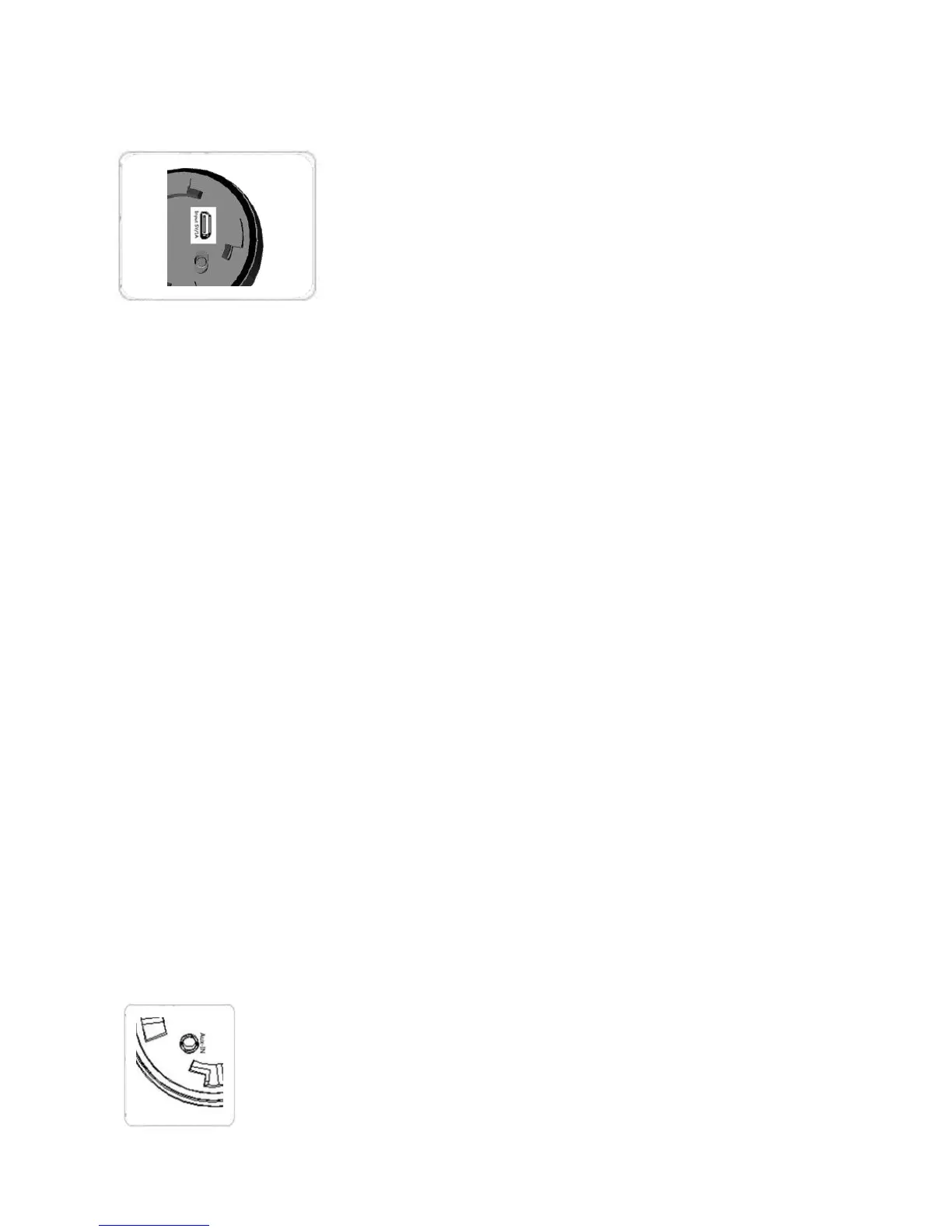
- Switch off the Main Power Switch. Connect the USB
cable and a power source to Nomad Micro USB Input
5V/1A function (as shown).
- 4 blue bars on Battery Power Indicator show a fully
charged Macroboom.
* Power source options include USB connection to a
AC power adapter, a car charger or
computer/notebook USB connection.
** Max power will take about 5-6 hours of charging.
Step 2: Bluetooth Pairing.
- Switch on the Main Power Switch after Macroboom is fully charged. Press Power
Standby button around 5 seconds. Macroboom LED Flash Indicator will have
blue/red lights indicating Macroboom is ready for pairing.
- Turn on Bluetooth on your mobile phone/music device. Macroboom will appear on
your mobile phone/music device. Select Macroboom to pair.
- Once your mobile phone/music device is paired, Macroboom will produce a sound
indicating a successful pairing.
*If you are not familiar with Bluetooth pairing for you mobile phone or music device,
refer to the user guide for your mobile phone/music device to guide you how to add
and pair a new device using Bluetooth.
To play music using auxiliary cable, connect the cable with your
device or mobile phone. Macroboom will play the music
automatically.
* To switch back to Bluetooth, you must pull out aux-in cable.


 To Next Page