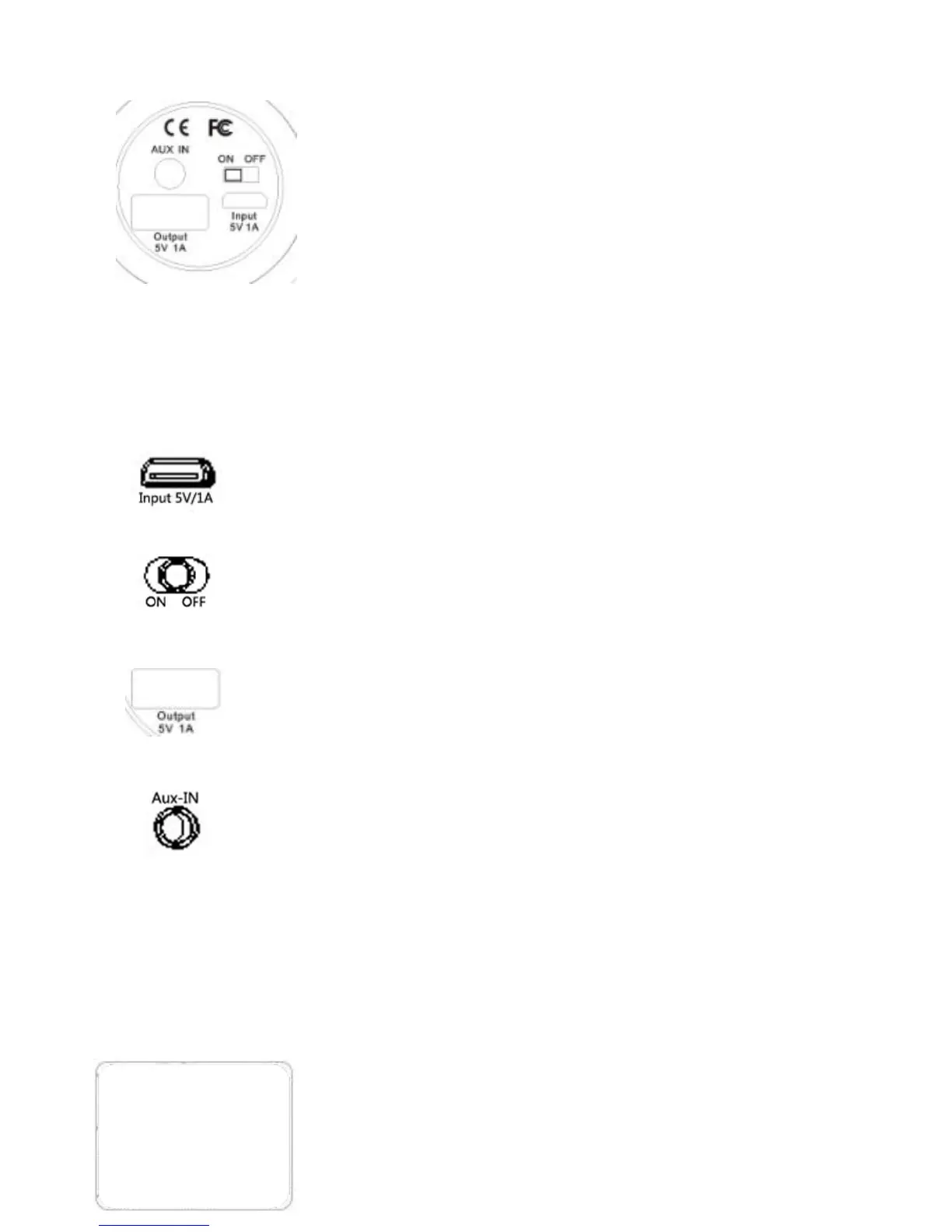
To charge your Macroboom, connect the USB cable
provides to Micro USB Input 5V/1A.
Macroboom has a Main Power Switch and must be On
to power it. Only when Main Power Switch is On, the
Power Standby Switch can be functioned.
To charge smartphone or tablet,connect the usb cable
provides to USB output 5V/1A.
Audio Aux In provides a alternative to Bluetooth and
allows Nomad to connect to your mobile phone/music
device using a 3.5mm Cable.
* Unlock the protective cover by turning
the cap anti-clockwise to reveal the switch
and connections.
** After using these functions, ensure that
the cap is locked properly. If the cap on
the back panel is not properly locked,
Macroboom is not watertight.
Step 1: Unlocking the Cap
- Turn the cap anticlockwise as shown.
- The triangle tip on the Cap must indicate the open
triangle on the back panel.


 To Next Page