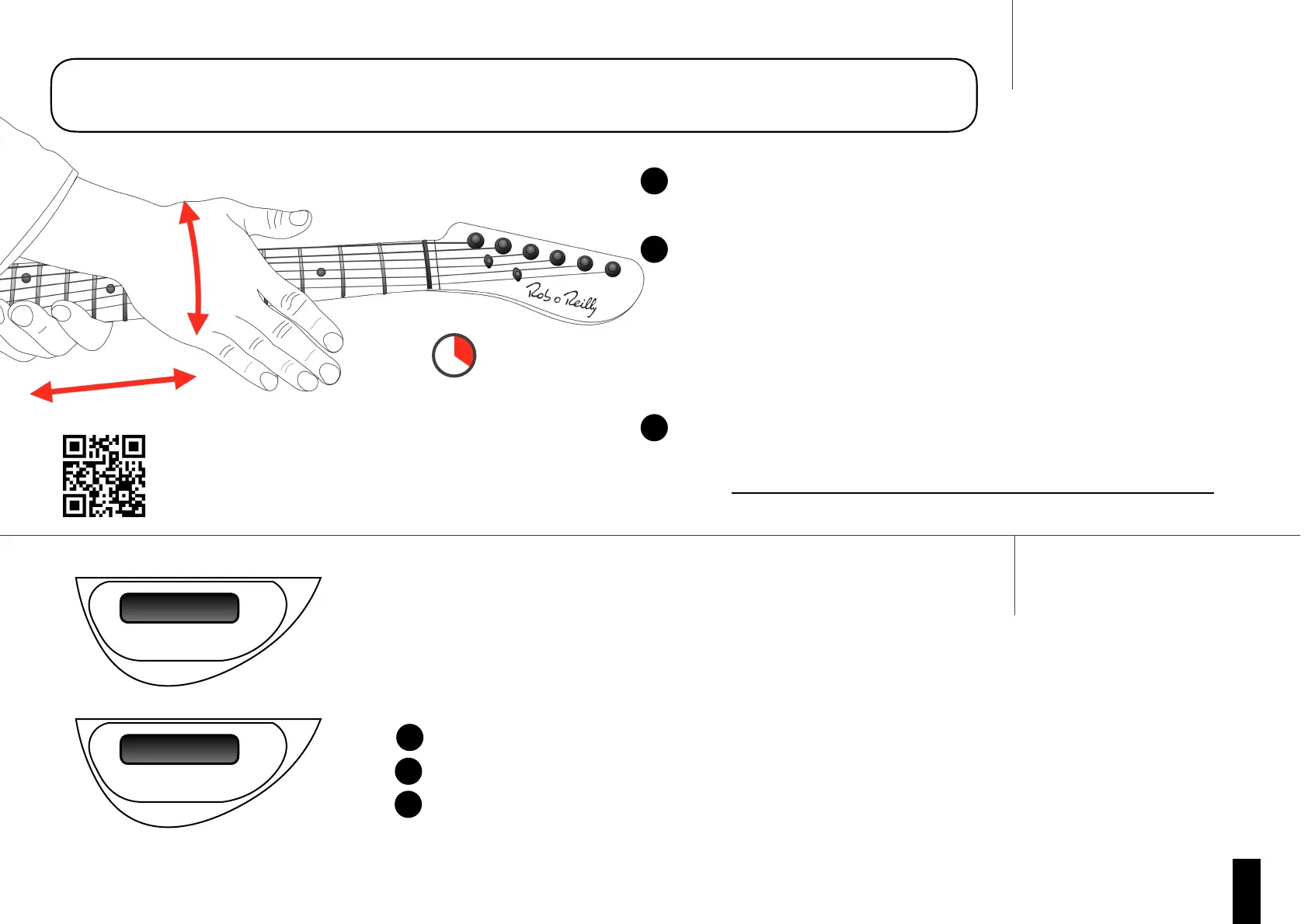
Cleaning your string and fret contacts is very important to achieve fast and accurate
performance of your MIDI guitar.
‘Ready” shows on the display when your MIDI Pro 2 is ready to play.
If “Ready” does not show on the display and it reads “Calibrate X String” :
The displayed string may require calibration. See ‘String Calibration Guide’ page.
Ensure to use the correct string type is used. See ‘String Type Guide’ page.
The Nut may require cleaning. See ‘Nut Cleaning Guide’ page.
Note: if your MIDI Pro has software older than 6-608, you should update the software for optimum
Tune Up
• Tune to standard guitar tuning.
Clean Up
• Place your guitar flat on your lap and Firmly push the strings against
frets with the heel of your hand.
• Rub vigorously across the fretboard moving slowly up and down the
fretboard for 20 seconds.
• Extra emphasis can be given to the first few frets.
• If your instrument has been un-used for more than a week, use the
rubbing technique above on every fret for at least a few seconds.
Power Up and Initialise
• Ensure the battery is charged or powered from a USB cable.
• Power up by turning the MIDI volume knob (6).
• Keep your hands off the strings while your MIDI Pro 2 is initialising


 To Next Page