
 Need help?
Do you have a question about the Rob O'Reilly MIDI PRO MP2 and is the answer not in the manual?
Overview of the Expressiv MIDI Pro system's capabilities for guitarists.
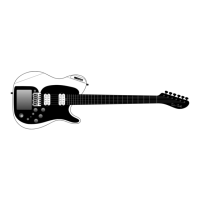
Visual guide to the controls and features of the MP2 guitar.
Visual guide to the controls and features of the MP Bass.
Step-by-step instructions for powering on and initializing the instrument.
Detailed steps for calibrating strings for optimal MIDI tracking.
Recommendations for string types that ensure proper performance.
Procedure for cleaning the nut to improve MIDI signal contact.
Troubleshooting steps for addressing latency and sound issues.
Importance of environmental conditions for instrument stability.
Explanation of different modes for triggering synthesizer notes.
How to connect the instrument via USB, MIDI, and audio outputs.
Explanation of magnetic and piezo pickups for sound.
Key combinations for selecting and cycling through presets.
Shortcuts for controlling pitch bend, picking, and XY triggering.
Shortcuts for calibration, battery status, and accessing the menu.
Guide to modifying and saving instrument settings to presets.
Advice on fingerpicking versus plectrum use for MIDI functionality.
Understanding how different synthesizer types respond to MIDI.
Bass-specific filter to prevent unintended notes from open strings.
Description of the software for editing and managing instrument presets.
How to enter, exit, and navigate the instrument's menu.
Procedures for saving current settings to presets.
Overview of general settings, tunings, and MIDI channels.
Explanation of modes like Pick, Tap, Joystick, and XY Pad functions.
Summary of Finger Pads, MIDI Input, and Advanced settings.
How program changes are associated with presets.
Managing memory lock and performing master resets.
Adjusting open string notes to expand the musical range.
Setting channels for the entire instrument or individual strings.
How picking triggers notes and related parameters like threshold.
Adjusting the delay for MIDI note transmission.
Mapping pick force to note loudness using velocity curves.
Managing open strings and enhancing note accuracy with velocity.
Enabling or disabling slide-up and hammer-on actions.
Filtering out unintended slide-down and pull-off notes.
Bass-specific filter to prevent unintended notes from open strings.
Triggering notes by touching frets and related parameters.
Adjusting tap force sensitivity and note loudness.
Adjusting the delay for note detection in Tap Mode.
Controlling MIDI volume or other parameters with the knob.
Using the joystick for pitch bend and control changes.
Configuring the joystick's return behavior.
Measuring string tension for expressive pitch bending.
Enabling, disabling, and reversing pitch bend.
Using the XY pad for note triggering and sustain.
Features for creating slides and arpeggiated sequences.
Customizing XY pad color and applying pitch bend.
Using the XY pad for control changes and as a switch.
Triggering notes, parameters, samples, and effects with finger pads.
Configuring how finger pads trigger and release notes.
Adjusting touch sensitivity and output for finger pads.
Setting up the instrument to receive MIDI commands from external devices.
Explaining the 5-pin MIDI connector's dual input/output capability.
Diagram for constructing a MIDI Y cable for controller setup.
Using the Signals software for instrument diagnostics.
Guide to checking and adjusting the guitar neck's relief.
Detailed steps for loosening or tightening the truss rod.
Setting string height (action) to prevent fret buzzing.
Setting pickup pole heights for balanced sound.
Adjusting scale length for accurate pitch.
Steps for automatically calibrating the bridge to track string picking.
Adjusting string gains for consistent MIDI note velocity output.
Adjusting string sensitivity for precise MIDI note triggering.
Guide on charging the MIDI Pro via USB or power adapter.
Checking for adequate power input for proper operation.
Instructions and safety warnings for replacing the internal battery.
Recommendation for professional wireless MIDI transmission.
Recommendation for home use Bluetooth MIDI connectivity.
Step-by-step guide for updating the instrument's software on a Mac.
Step-by-step guide for updating the instrument's software on a PC.
How to configure and save instrument-specific advanced settings.
Restoring the instrument to its factory default state.
When to perform string and bridge calibration after a reset.
Instructions for printing and emailing calibration values for support.
Solutions for audio noise when using analog pickups with USB power.
Guidance on how often to perform instrument calibration.
Troubleshooting steps for duplicate MIDI notes during playback.
Ensuring sufficient power for the LCD and XY pad lights.
Resolving instances where MIDI notes jump unexpectedly.
Diagnosing and fixing buzzing sounds from strings or frets.
Addressing issues with sharp fret ends, possibly due to humidity.
Glossary of guitar parts and their functions.
Definitions of MIDI language, synthesizers, and latency.
Glossary of terms related to triggering and performance features.
 General
| Expression Pedal Inputs | 1 |
|---|---|
| Footswitches | 2 |
| Velocity Sensitivity | Yes |
| Pitch Bend | Yes |
| Modulation Wheel | Yes |
| Octave Shift | Yes |
| MIDI Out | Yes |
| USB | Yes |
| Power | 9V DC |
| Compatibility | Windows, Mac |

 To Next Page
