8
1 - Ground
2 - Signal (-)
3 - Signal (+)
1 - Ground
2 - Signal (-)
3 - Signal (+)
4.3 Connection to the mains
The earth has to be connected!
Connect the fixture to the mains with the enclosed power-plug.
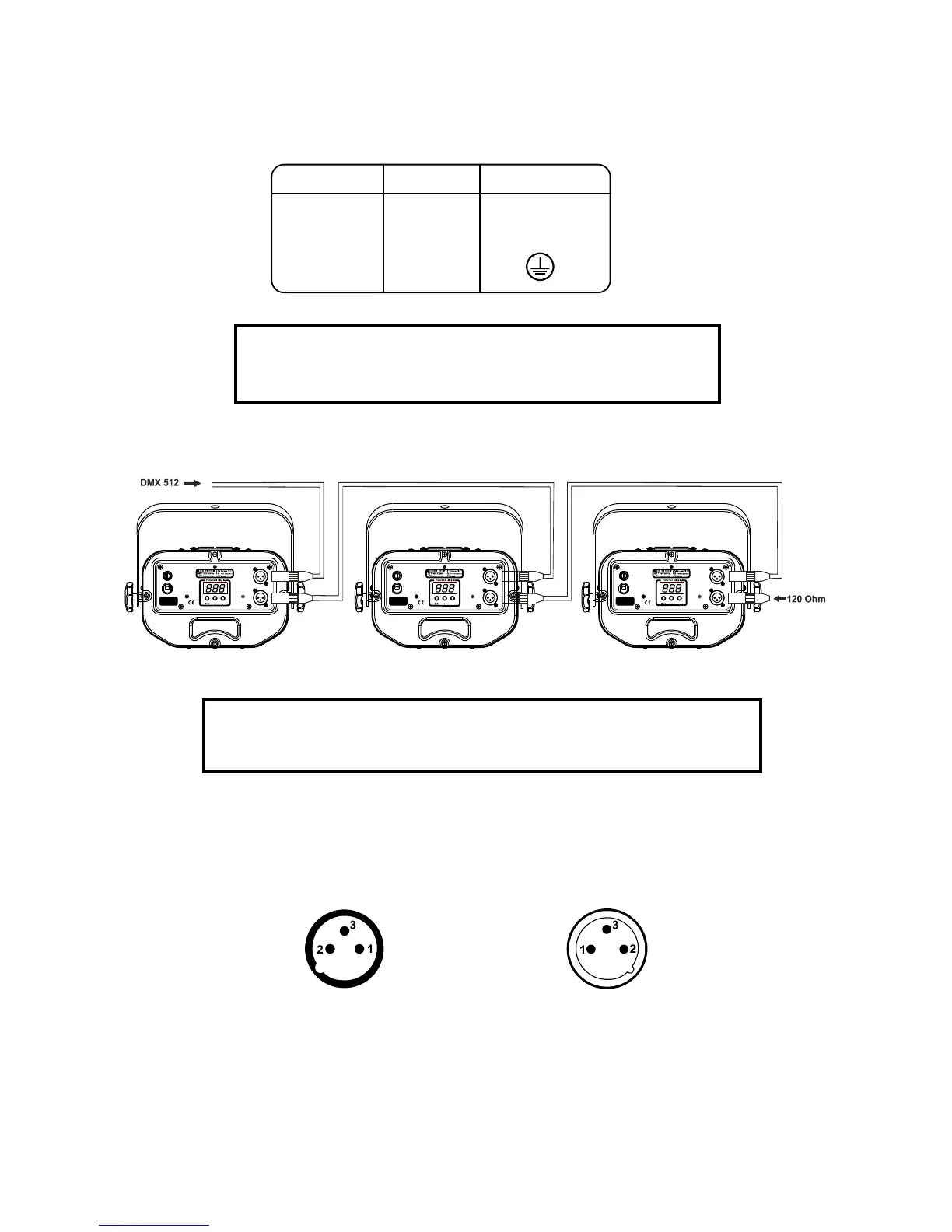
The occupation of the connection-cables is as follows:
Cable Pin International
Brown Live L
Light blue Neutral N
Yellow/Green Earth
DANGER TO LIFE!
Before taking into operation for the first time,
the installation has to be approved by an expert!
4.4 DMX-512 connection/connection between fixtures
The wires must not come into contact with each other, otherwise
the fixtures will not work at all, or will not work properly.
Only use a stereo shielded cable and 3-pin XLR-plugs and connectors in order to connect the controller with the
fixture or one fixture with another.
Occupation of the XLR-connection:
DMX - output DMX-input
XLR mounting-socket: XLR mounting-plug:
If you are using standard controllers, you can connect the DMX-output of the controller directly with the DMX-
input of the first fixture in the DMX-chain. If you wish to connect DMX-controllers with other XLR-outputs, you
need to use adapter-cables.
Building a serial DMX-chain:
Connect the DMX-output of the first fixture in the DMX-chain with the DMX-input of the next fixture. Always
connect one output with the input of the next fixture until all fixtures are connected.
Caution: At the last fixture, the DMX-cable has to be terminated with a terminator. Solder a 120 Ohm resistor
between Signal (–) and Signal (+) into a 3-pin XLR-plug and plug it in the DMX-output of the last fixture.



 To Next Page