82
Clock and Alarms
Sleep timer
Your sound system can be set to turn off after a preset time has elapsed. The sleep
timer can be set while the sound system is in Standby or whilst in use. The sleep timer
setting can be adjusted between 15 and 120 minutes in 15 minute increments.
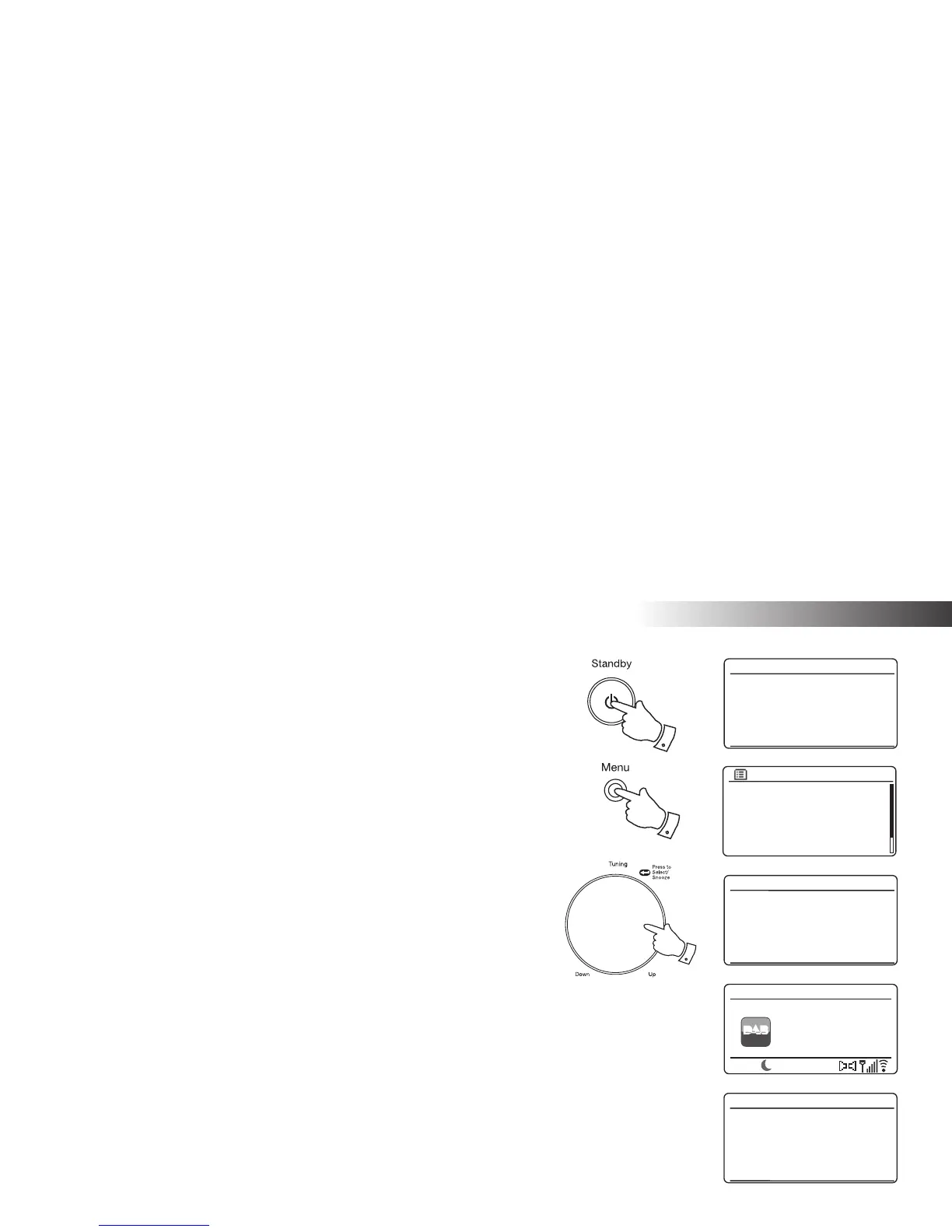
1. Press and hold the On/Standby button to access the sleep timer.
2. Rotate the Tuning/Select control until the required sleep time setting is selected.
The sleep timer can be set to between 15 and 120 minutes, or to Off. Press the
Tuning/Select control to confi rm the setting.
3. If the sound system was in standby the sound system will then be switched on for
the chosen duration. If the sound system was already playing then it will continue
playing and the sleep timer will be set to the chosen duration.
An active sleep timer is shown using a small timer indicator at the bottom of the
playing displays. This indicator also shows the sleep time remaining before the
radio switches itself into Standby mode.
4. Alternatively when the sound system is in use you can set the sleep time using the
menu system. Access the menu for the current mode by pressing the Menu button.
Rotate the Tuning/Select control until 'Main menu' is highlighted on the display.
Press the control to enter the Main menu.
5. Rotate the Tuning/Select control until 'Sleep' is highlighted on the display then
press the Tuning/Select control.
6. Rotate the Tuning/Select control until the required sleep time setting is selected.
Press the Tuning/Select control to confi rm the setting.
7. To cancel the sleep time before the preset time has elapsed and to turn off the
sound system, press the On/Standby button to turn the unit off manually.
To cancel the sleep timer and leave the radio playing, go back into the sleep timer
settings (steps 1 to 2 above) and select the Off option in step 2.
Internet radio
Music player
DAB
FM
AUX in
Sleep
Main menu
15 MINS
Set sleep time
Sleep OFF
Set sleep time
4
1,7
2-6
Heart - More
Music Variety
DAB
12:34
Heart
DAB Radio
00:15
15 MINS
Set sleep time


 To Next Page