23
Search function
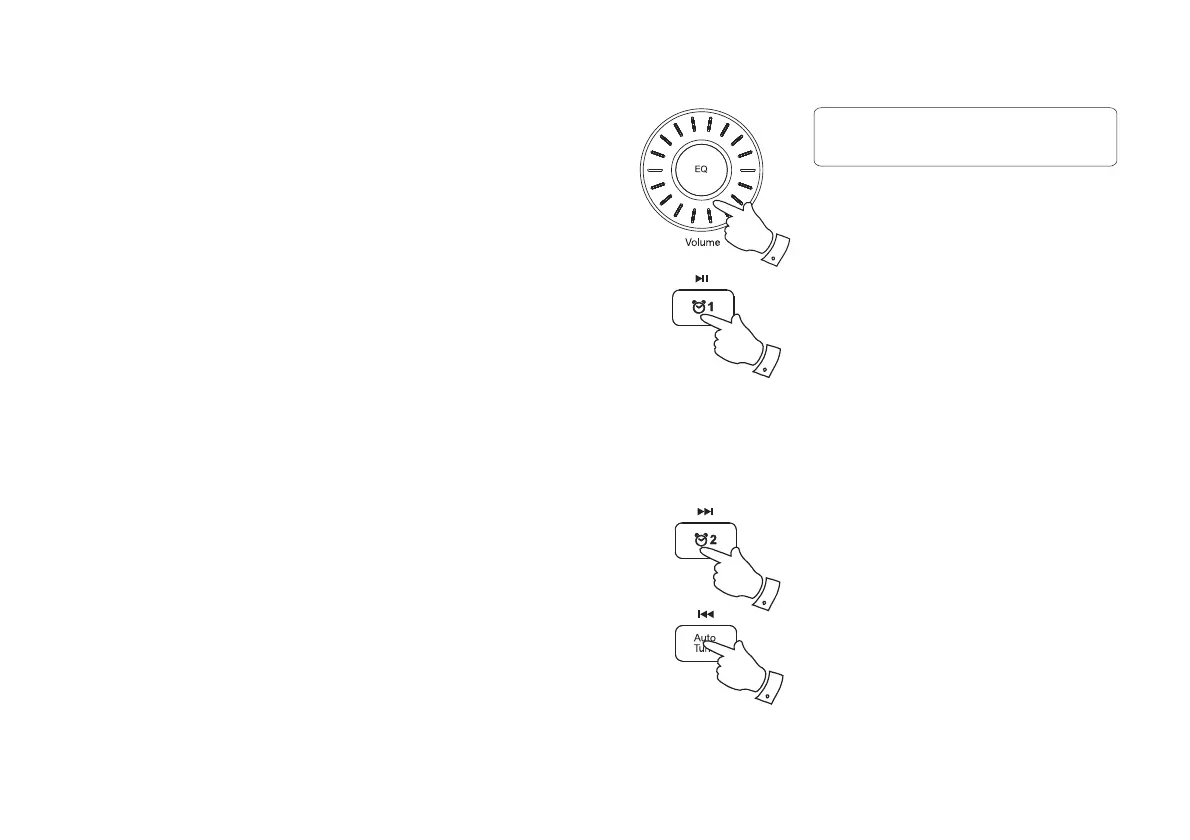
1. While the iPod is playing, press and hold the Fast-forward or Rewind
buttons to move through the current fi le or track. Release the button
when the desired point in the fi le or track is reached.
2. Press and release either the Fast-forward or Rewind buttons to start
playing the next or previous fi le or track.
Playing a fi le on your iPod, iPhone or iPad
1. Use the touch screen on your iPod to select the content to be played.
2. Adjust the volume to the required setting using the Volume control
on your radio.
3. To pause playback press the Play / Pause button. To resume playback
press the Play / Pause button again.
4. iPod does not have a Stop button (it uses the Pause function). To play
an alternative selection, use the iPod menus to make the selection using
the Play / Pause button to stop playing the current item if needed.
2
3,4
1,2
1,2
Volume
09



 To Next Page