EasyManua.ls Logo

Roberts CRD-39 - User Manual

Roberts CRD-39
36 pages
Print Icon
To Next Page IconTo Next Page
Loading...
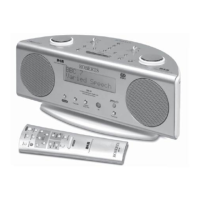
CRD-39
Please read this manual before use
ROBERTS
Sound for Generations
FM RDS/DAB digital radio
with
Question and Answer IconNeed help?

Do you have a question about the Roberts CRD-39 and is the answer not in the manual?

Summary

Controls (Front)

Headphone socket

Describes the 3.5mm socket for connecting headphones or an earpiece.

Loudspeakers

Indicates the location of the stereo loudspeakers on the front panel.

LCD display

Highlights the main display screen for radio information and settings.

On;Off button

The primary button for powering the radio on or switching it to standby.

FM;DAB band button

Button used to switch between FM and DAB radio wavebands.

Select;Real time button

Used for selecting stations, confirming settings, and displaying real time.

Infra red sensor

Component that receives signals from the remote control.

Classic FM button

Dedicated button to tune directly to Classic FM on DAB.

PAUSEplus button

Activates the Pauseplus feature to temporarily pause DAB broadcasts.

Controls (Top)

Treble control

Adjusts the treble audio frequency for sound output.

Volume control

Rotary control for adjusting the audio output volume.

Sleep button

Sets a timer for the radio to automatically switch off.

Station preset buttons

Buttons for storing and recalling favorite radio stations.

Snooze button

Silences the alarm temporarily, allowing for extra sleep.

Select;Real time button

Used for selection, confirmation, and real-time display.

Auto dimmer

Automatically adjusts the display brightness based on room light.

Tuning control

Rotary control used for tuning stations or adjusting settings.

Bass control

Adjusts the bass audio frequency for sound output.

Info button

Cycles through various display modes and information.

Auto tune button

Initiates an automatic scan to find available radio stations.

Alarm button

Accesses the alarm and timer setup menu.

Controls (Rear)

Wire DAB;FM aerial

The wire aerial for receiving DAB and FM radio signals.

Mains input socket

Connection point for the AC power adapter.

Optical output socket (toslink)

Digital audio output for connecting to external devices.

Line in socket

3.5mm jack for connecting external audio sources.

Mains operation

Operating your radio - DAB

Selecting a station - DAB

Secondary services - DAB

Display modes - DAB

Scrolling text

Displays scrolling text messages like artist or track names.

Programme type

Shows the genre of the station, e.g., Pop, News, or Classic.

Multiplex Name

Displays the name of the multiplex the current station belongs to.

Signal strength

Indicates the signal strength for the current station.

Time and date

Shows the current time and date.

Maximum delay

Displays the maximum delay time when using Pauseplus.

Finding new stations - DAB

Autoselect - DAB

Manual Tuning - DAB

Signal strength display - DAB

Using your radios Pauseplus feature

Operating your radio - FM

Manual tuning - FM

Display modes - FM

Scrolling text

Shows scrolling text messages such as artist or track name.

Programme Type

Displays the type of station being listened to (e.g., Pop, News).

Signal strength

Indicates the signal strength for the current FM station.

Time and date

Displays the current time and date.

Frequency

Shows the frequency of the FM station being listened to.

Audio mode

Indicates if the audio is set to Auto (Stereo) or Mono.

FM Stereo;Mono

Presetting stations - DAB and FM

Recalling a preset station - DAB and FM

System reset

Classic FM button

Software version

Sleep function

Alarm display

Alarms;timers

Snooze function

Cancelling alarms

Auto Dimmer

Connecting to an external amplifier or recorder

Recording from your radio

Clock display

Display backlight

Headphone socket

Line in socket (3.5 mm Jack)

Optical output socket

Remote control

Alarm button

Controls the alarm and timer functions.

Auto Tune button

Initiates automatic station tuning for DAB and FM.

PAUSEplus button

Activates the Pauseplus feature on the remote.

Preset buttons

Buttons for accessing stored radio presets.

Volume Up button

Increases the audio volume.

Volume Down button

Decreases the audio volume.

Info button

Accesses information and display modes.

Snooze button

Activates the snooze function for alarms.

Select;Real time button

Used for selection, confirmation, and real-time display.

Tuning Down button

Decreases frequency or navigates down menus.

Tuning Up button

Increases frequency or navigates up menus.

Classic FM button

Directly tunes to Classic FM on the DAB waveband.

On;Off;Sleep button

Powers the radio on/off or activates sleep function.

FM;DAB button

Switches between FM and DAB radio bands.

Remote handset battery replacement

Using the remote control

General

Specifications

Circuit Features

Mains supply

Guarantee

Summary

Controls (Front)

Headphone socket

Describes the 3.5mm socket for connecting headphones or an earpiece.

Loudspeakers

Indicates the location of the stereo loudspeakers on the front panel.

LCD display

Highlights the main display screen for radio information and settings.

On;Off button

The primary button for powering the radio on or switching it to standby.

FM;DAB band button

Button used to switch between FM and DAB radio wavebands.

Select;Real time button

Used for selecting stations, confirming settings, and displaying real time.

Infra red sensor

Component that receives signals from the remote control.

Classic FM button

Dedicated button to tune directly to Classic FM on DAB.

PAUSEplus button

Activates the Pauseplus feature to temporarily pause DAB broadcasts.

Controls (Top)

Treble control

Adjusts the treble audio frequency for sound output.

Volume control

Rotary control for adjusting the audio output volume.

Sleep button

Sets a timer for the radio to automatically switch off.

Station preset buttons

Buttons for storing and recalling favorite radio stations.

Snooze button

Silences the alarm temporarily, allowing for extra sleep.

Select;Real time button

Used for selection, confirmation, and real-time display.

Auto dimmer

Automatically adjusts the display brightness based on room light.

Tuning control

Rotary control used for tuning stations or adjusting settings.

Bass control

Adjusts the bass audio frequency for sound output.

Info button

Cycles through various display modes and information.

Auto tune button

Initiates an automatic scan to find available radio stations.

Alarm button

Accesses the alarm and timer setup menu.

Controls (Rear)

Wire DAB;FM aerial

The wire aerial for receiving DAB and FM radio signals.

Mains input socket

Connection point for the AC power adapter.

Optical output socket (toslink)

Digital audio output for connecting to external devices.

Line in socket

3.5mm jack for connecting external audio sources.

Mains operation

Operating your radio - DAB

Selecting a station - DAB

Secondary services - DAB

Display modes - DAB

Scrolling text

Displays scrolling text messages like artist or track names.

Programme type

Shows the genre of the station, e.g., Pop, News, or Classic.

Multiplex Name

Displays the name of the multiplex the current station belongs to.

Signal strength

Indicates the signal strength for the current station.

Time and date

Shows the current time and date.

Maximum delay

Displays the maximum delay time when using Pauseplus.

Finding new stations - DAB

Autoselect - DAB

Manual Tuning - DAB

Signal strength display - DAB

Using your radios Pauseplus feature

Operating your radio - FM

Manual tuning - FM

Display modes - FM

Scrolling text

Shows scrolling text messages such as artist or track name.

Programme Type

Displays the type of station being listened to (e.g., Pop, News).

Signal strength

Indicates the signal strength for the current FM station.

Time and date

Displays the current time and date.

Frequency

Shows the frequency of the FM station being listened to.

Audio mode

Indicates if the audio is set to Auto (Stereo) or Mono.

FM Stereo;Mono

Presetting stations - DAB and FM

Recalling a preset station - DAB and FM

System reset

Classic FM button

Software version

Sleep function

Alarm display

Alarms;timers

Snooze function

Cancelling alarms

Auto Dimmer

Connecting to an external amplifier or recorder

Recording from your radio

Clock display

Display backlight

Headphone socket

Line in socket (3.5 mm Jack)

Optical output socket

Remote control

Alarm button

Controls the alarm and timer functions.

Auto Tune button

Initiates automatic station tuning for DAB and FM.

PAUSEplus button

Activates the Pauseplus feature on the remote.

Preset buttons

Buttons for accessing stored radio presets.

Volume Up button

Increases the audio volume.

Volume Down button

Decreases the audio volume.

Info button

Accesses information and display modes.

Snooze button

Activates the snooze function for alarms.

Select;Real time button

Used for selection, confirmation, and real-time display.

Tuning Down button

Decreases frequency or navigates down menus.

Tuning Up button

Increases frequency or navigates up menus.

Classic FM button

Directly tunes to Classic FM on the DAB waveband.

On;Off;Sleep button

Powers the radio on/off or activates sleep function.

FM;DAB button

Switches between FM and DAB radio bands.

Remote handset battery replacement

Using the remote control

General

Specifications

Circuit Features

Mains supply

Guarantee

Roberts CRD-39 Specifications

General IconGeneral
BrandRoberts
ModelCRD-39
CategoryRadio
LanguageEnglish

Related product manuals