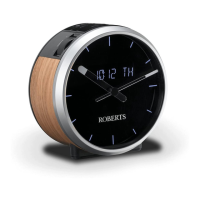
Setting the clock manually
1RUPDOO\\RXUFORFNUDGLRZLOOVHWLWVFORFNDXWRPDWLFDOO\XVLQJWKH'$%
UDGLRVLJQDO,IQR'$%VLJQDOLVDYDLODEOHDQG\RXQHHGWRVHWWKHWLPH
PDQXDOO\SOHDVHIROORZWKHSURFHGXUHVKRZQEHORZ
1. Press and release the On/Off button to switch on the clock radio.
7RVHWWKHFORFNWLPHSUHVVDQGUHOHDVHWKHMenu/Mode button. The
PHQXZLOOVKRZRQWKHGLVSOD\
,IXVLQJ'$%RU)0PRGHVSUHVVWKHTuning Up or Down buttons
until 'SYSTEM'DSSHDUVRQWKHGLVSOD\3UHVVDQGUHOHDVHWKHSelect
button.
4. Press the Tuning Up or Down buttons until 'TIME' appears on the
GLVSOD\3UHVVDQGUHOHDVHWKHSelect button.
5. Press the Tuning Up or Down buttons until 'SET TIME' appears on
WKHGLVSOD\
3UHVV DQG UHOHDVH WKH Select button to enter the manual setting
SURFHGXUH7KHKRXUGLJLWVZLOOWKHQÀDVKRQWKHGLVSOD\
7. Press the Tuning Up or Down buttons to set the desired hour.
8. Press and release the Select button to enter the hour setting.
7KHPLQXWHGLJLWVZLOOWKHQÀDVKRQWKHGLVSOD\3UHVVWKHTuning Up
or Down buttons to set the desired minute.
1
2
28

 To Next Page
 Loading...