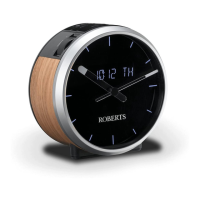
Automatically updating the clock
<RXUFORFNUDGLRZLOOXVXDOO\VHWWKHFORFNWLPHXVLQJWKH'$%VLJQDO<RX
PD\VSHFLI\WKDWWKHFORFNUDGLRVHWVLWVFORFNXVLQJVLJQDOVIURPWKH'$%
RU)0ZDYHEDQGHLWKHUZDYHEDQGRUQRQH,I\RXFKRRVHQRQH\RXZLOO
QHHGWRVHWWKHFORFNPDQXDOO\
1. Press and release the On/Off button to switch on the clock radio.
2. Press and release the Menu/Mode button. The menu will show on
WKHGLVSOD\
,IXVLQJ'$%RU)0PRGHVSUHVVWKHTuning Up or Down buttons
until 'SYSTEM'DSSHDUVRQWKHGLVSOD\3UHVVDQGUHOHDVHWKHSelect
button.
4. Press the Tuning Up or Down buttons until 'TIME' appears on the
GLVSOD\3UHVVDQGUHOHDVHWKHSelect button.
5. Press the Tuning Up or Down buttons until 'UPDATE' appears on the
GLVSOD\3UHVVDQGUHOHDVHWKHSelect button.
3UHVVWKHTuning Up or Down buttons to choose an update option
IURP'$%)0$1<RU121(
7. Press and release the Select EXWWRQWRFRQ¿UP\RXUFKRLFH
8. The clock radio will set its time according to the information received.
7KHFORFNUDGLRZLOOUHWXUQWRWKHSUHYLRXVPHQXGLVSOD\
,IDVLJQDOLVQRWIRXQG\RXVKRXOGWKHQHLWKHUSRVLWLRQWKHFORFNUDGLRRU
LWVDHULDOVRWKDWDVLJQDOFDQEHUHFHLYHGRUUHYHUWWRPDQXDOFORFNPRGH
VHHSDJH
1
2

 To Next Page
 Loading...