26
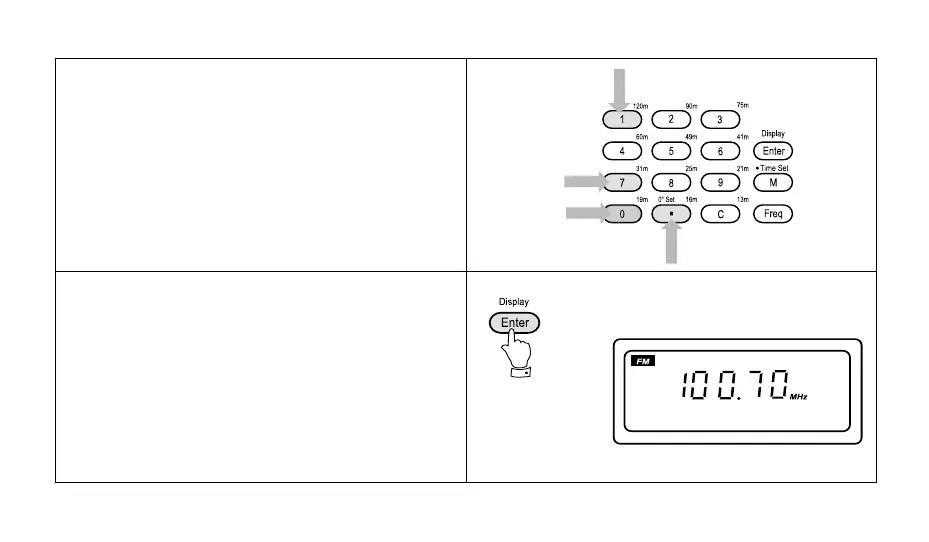
3. Press the buttons marked [1] [0] [0] [.] [7] [0].
Note: If a mistake is made during entry press the "C"
button to clear the last digit entered.
4. Press the button marked "Enter", the frequency and
waveband will now appear in the display.
Note: Make sure that you enter the decimal point [.] in
100.70 MHz otherwise the display will show "SW" [10.070
MHz].



 To Next Page