If you need any further advice, please call our Technical Helpline on :-
0181 758 0338 (Mon-Fri)
35
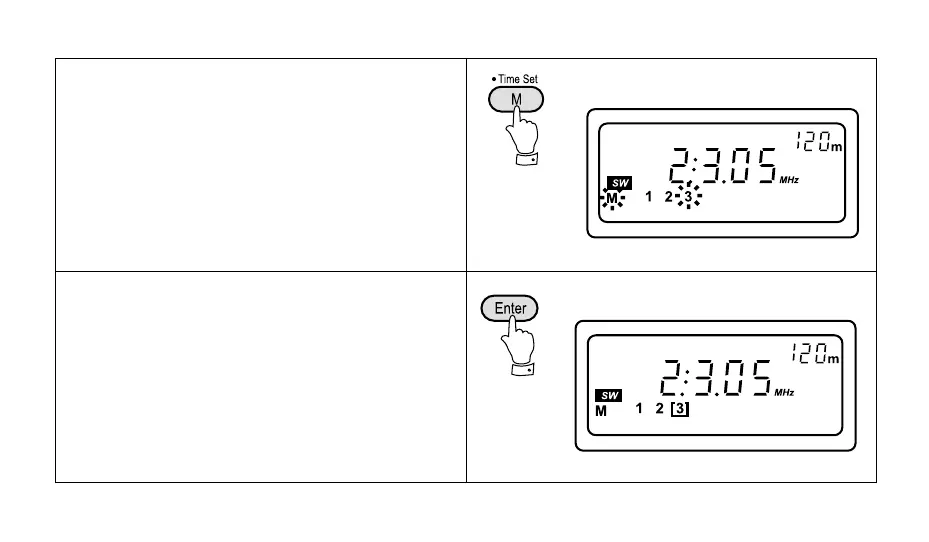
3. Press the button marked "M" (memory), the memory
symbol "M" together with a suggested preset number
will flash in the display for 12 seconds.
Note: If some of the presets have already been used the
radio will suggest the next available preset location.
4. Press the "Enter" button and your station will be stored
in the suggested memory preset.



 To Next Page