If you need any further advice, please call our Technical Helpline on :-
0181 758 0338 (Mon-Fri)
37
Note:
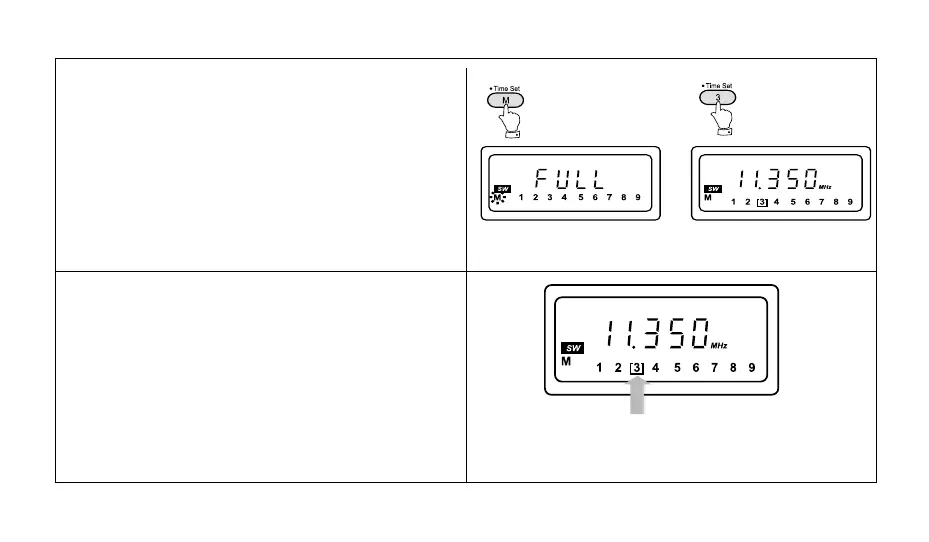
1. If all the preset memory locations are full pushing the
"M" button will cause the display to show "FULL". If
you still want to store a new station press any button
1-9 for more than 2 seconds, the new station will be
stored in the selected memory location, the original
station in this location will be cancelled.
2. Selecting a station or frequency that is already stored
in preset memory will cause the display to show "[ ]"
together with the stations preset memory location.
The symbol "[ ]" indicates that the frequency has al-
ready been stored.



 To Next Page