If you need any further advice, please call our Technical Helpline on :-
0181 758 0338 (Mon-Fri)
47
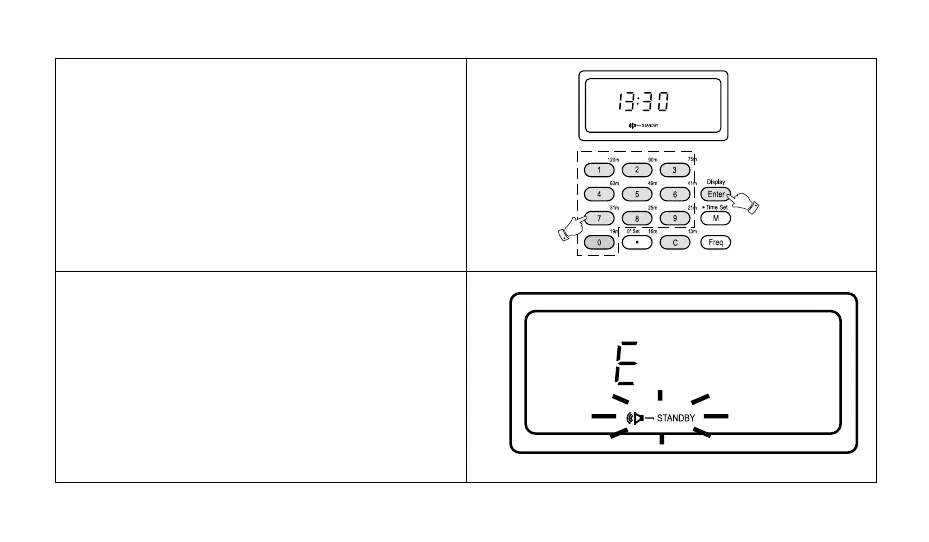
2. Press the numbered buttons to set the alarm on time.
e.g. to set an alarm time of 13:30, press the buttons
"[1] [3] [3] [0]". If a wrong number was keyed in, press-
ing the "C" button will delete one digit for each press.
Press the "Enter" button, the display will show "13:30"
and "Standby" will stop flashing indicating that the
alarm has been set to 13:30.
If the time keyed in is not valid i.e. 25:30, the display will
show "E" for about 2 seconds and then revert to show-
ing real time.



 To Next Page