If you need any further advice, please call our Technical Helpline on :-
0181 758 0338 (Mon-Fri)
53
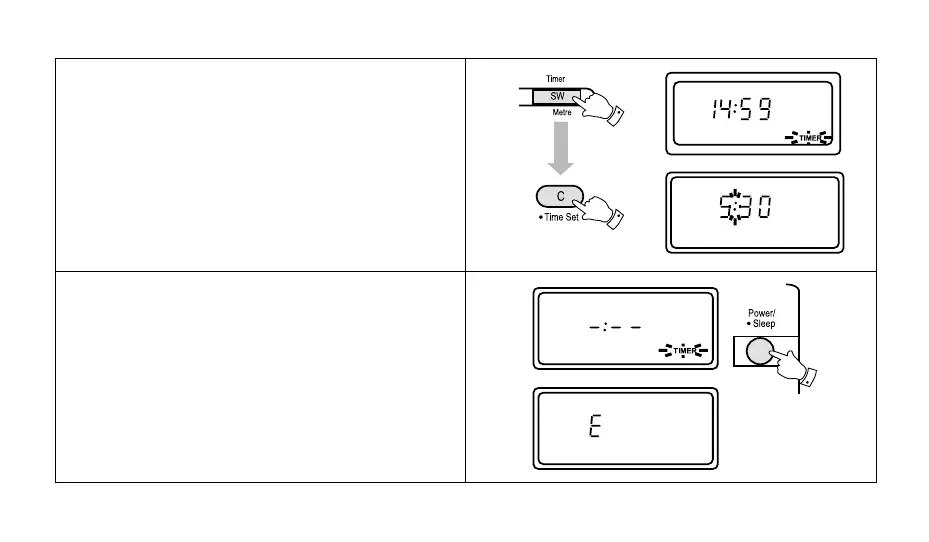
6. To cancel the count down timer press the "Timer" but-
ton, and then press the "C" button, "Timer" on the
display will disappear and the display will revert to
showing real time.
Note:
1. When the count down alarm is active, press the
"Power/Sleep" button to turn off the alarm.
2. The count down alarm will sound for 1 minute unless
turned off by pushing the "Power/Sleep" button.
3. If an incorrect time is entered e.g. 25.30 the display
will show "E" for about 2 seconds before reverting to
showing real time.



 To Next Page