4
Introduction .
About this instruction manual
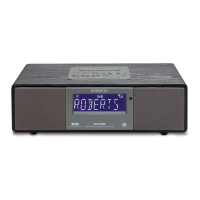
This instruction manual is split into sections for each of the operating modes of your Roberts
Stream 94L internet radio. Each section is clearly identied by the shaded heading in the top
right hand corner of each pair of pages.
Before using the Internet Radio, you will need to connect your radio to your computer network
using the WiFi connection. This is covered in the section titled Conguration. This section
also explains how to set the menu language option.
The Internet Radio section describes how to nd radio stations to listen to. These can be radio
stations that you already know and listen to conventionally, or new stations you may search for.
The section for the USB describes how you may play music les from USB.
The two sections for DAB and FM Radio describe how to use the radio to listen to conventional
radio broadcasts.
The Bluetooth section describes how to use your Stream 94L to play audio les or video
soundtracks directly from your smartphone, tablet or similar devices.
The section titled Clock and Alarms describes the different ways by which the clock in the
radio may be set, as well as explaining the use of the alarms, snooze and sleep timer features.
The Display and Audio section shows how to adjust the display, use the equaliser and
connect your radio to other audio equipment.
The Information section includes troubleshooting, specications and warranty information.
(page 41)
Clock and Alarms
(page 9)
Conguration
(page 21)
Internet Radio
(page 27)
USB
(page 32)
DAB & FM Radio
(page 37)
Bluetooth
(page 47)
Display & Audio
(page 50)
Information
DAB
60














 To Next Page