5. Press Press
To change
Residual Cooling
NOTE: THE RESIDUAL COOL FEATURE WILL KEEP THE SYSTEM FAN ON FOR AN
ADDITIONAL
30, 60
OR 90 SECONDS AFTER THE COMPRESSOR CYCLES OFF.
T
HE RESIDUAL COOL FEATURE CAN ONLY BE SET IN THE COOL MODE.
Changing Fahrenheit (F) to Celsius (C)
Press and Hold SET Press
Release both simultaneously.
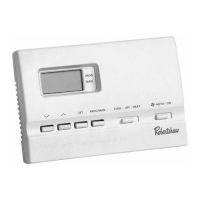
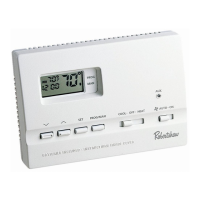
QuickSet™ Programming Mode
1. Place COOL-OFF-HEAT
in COOL or HEAT position.
2. Press & Hold SET. Press the button.
Release simultaneously.
3. The MORN indicator should be blinking. Program the Time-of-Day and
the temperature as outlined in the Setting Daily Program section.
NOTE: QuickSet™ will program all 7 days of the week with the same program.
Setting Daily Programming
1. Place COOL-OFF-HEAT
in COOL position.
2. Press SET button. The display will
show a number from 1 to 7. This
number represents the day of the
week to be programmed. If pro-
gramming individual days, press
either or button to adjust
the day of the week to program.
3. Press SET. Press or to change
MORN time
6
>
>


 To Next Page
 Loading...