EasyManua.ls Logo

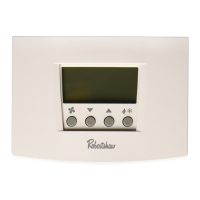
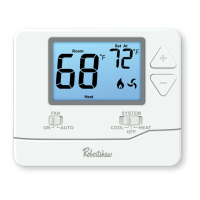
Robertshaw RS6320 - User Manual

Robertshaw RS6320
32 pages
Print Icon
To Next Page IconTo Next Page
Loading...
1
Thank you for purchasing a Robertshaw RS6000 programmable
thermostat. This user’s manual will guide you through the setup of the
RS6110 single stage, the RS6220 two stage and the RS6320 three stage*
thermostats. The thermostat should already be mounted and correctly
wired. The default settings will enable the thermostat to operate
efficiently. Before making any changes to the schedule read the section
on Default Settings.
Features
Pop-Up Wizard
Automatic changeover
Circulating Fan
Worry-Free memory retention
Easy change battery
Large back lit display
Filter change reminder
Low battery indicator
Fahrenheit and Celsius displays
EnergyStar™ compliant
Dual power
Adjustable 1st stage temperature differential: 0.5 °F to 3.0 °F (0.5 °C
to 1.5 °C)
Accuracy within ±1 °F
Universal staging on multi-stage units
Automatic heating shutdown if temperature exceeds 99 °F (37 °C)
Keypad security lockout
4 events per day for heating and cooling
Individual day scheduling
User settable Hi and Lo temperature limits

RS
6
110
RS
6
220
RS
6
3
20
352-00057-001 Rev B
USERS MANUAL
* Three stage heating available for heat pump applications only.

Other manuals for Robertshaw RS6320

Questions and Answers

Robertshaw RS6320 Specifications

General IconGeneral
TypeProgrammable Thermostat
Temperature Range45°F to 90°F (7°C to 32°C)
Stages1 Heat/1 Cool
Voltage24V AC
DisplayDigital
CompatibilitySingle Stage
MountingWall Mount

Summary

Robertshaw RS6000 Programmable Thermostat Manual

Features Overview

Details the key capabilities and functionalities of the RS6110, RS6220, and RS6320 thermostats.

Important Safety Information

Critical warnings and precautions for safe installation and operation of the thermostat.

Powering the Thermostat

Explains how the thermostat is powered via 24V AC or AA batteries.

Battery Installation and Replacement

Instructions for installing and changing the AA batteries in the thermostat compartment.

Understanding the Display

Explanation of the various icons, indicators, and data displayed on the thermostat screen.

Default Schedule and Settings

Details the preprogrammed EnergyStar schedule and default user settings.

Emergency Heat Functionality

Information on the emergency heat capability for heat pump systems.

Auto Changeover Explained

How the thermostat automatically switches between heating and cooling modes.

Operating the Thermostat Controls

Guide to using the buttons on the front panel for thermostat operation.

Setting Time and Day

Instructions to adjust the thermostat's clock and day of the week.

Programming the Schedule

Step-by-step guide to editing and setting daily heating and cooling schedules.

Customizing User Settings

How to change temperature scale, clock format, and backlight settings.

Stage Differential and Delay Settings

Explanation of DIFF, DIF2, DLY2, and DLY3 settings for multi-stage systems.

Auto Changeover and Limit Settings

Configuration of auto changeover, deadband, and HI/LO temperature limits.

Filter Reminder Setup

How to set the timer for filter maintenance reminders.

Advanced Settings: Cycle Timer and Calibration

Details on CYCL (Cycle Timer) and CAL (Calibration Offset) settings.

Securing Settings with a Password

Instructions on creating and using a password to protect thermostat settings.

Multi-Stage System Operation

Explanation of two and three-stage system control and energy efficient recovery.

Overriding Schedule Settings

Methods for temporarily or permanently overriding the programmed schedule.

Temporary Override Procedures

How to enter and manage temporary overrides for a specific duration.

Identifying Current Setpoint Origin

How to determine if the setpoint comes from the schedule or an override.

Fan Operation Modes

Explanation of ON, AUTO, and CIRC fan settings.

Troubleshooting Common Issues

Solutions for common thermostat problems like no power or system cycling.

Five-Year Limited Warranty

Details the warranty terms, coverage, and return procedures for the thermostat.

Related product manuals