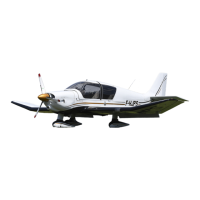
Supplement POH DR400/120D, DR400/140B,
DR400/180R, DR400/200R, DR400/RP
Issue 3 – July 2014 Page 4 - 5
(7)
a) Nose gear ............................. Check attachment and condition of
fairing, normal shock absorber compression, tire inflated, tow
bar removed
b) Canopy cleanliness ............................................................Check
(8)
a) Left main landing gear ............................. Check attachment and
condition of fairing,
normal shock absorber compression,
tire inflated
b) Pitot ............................................................. Clean, unobstructed
c) Lights (optional) ........................................................ Glass clean
(9)
a) Wing tip and navigation light (optional) .............. Check condition
b) Flap and aileron............................... Check condition and hinges
CABIN INTERIOR CHECK BEFORE START-UP
1) Canopy ............................................................... Closed and locked
2) Parking brake........................................................................ Locked
3) Front seats ....................................................... Adjusted and locked
4) Belts and harnesses ..................................... Adjusted and fastened
5) Flight controls .................... Free, without play or excessive friction,
correct action (check rudder during taxiing)
6) Elevator trim ................. Check travel, then return to takeoff position
7) Battery switch .............................................................................. ON
8) CED lights autotest ............................................................... Monitor
9) ALT CB ........................................................................................ ON
10) Alarm panel .......................... Test, set DAY / NIGHT as appropriate



 To Next Page