21
Maximum Res. - A maximum temperature in the xture base since the counter
was last reset.
In order to reset this counter to 0, touch the text box next to the item "Maximum Res."
DMX Values - The menu is used to read DMX values of each channel received by the xture.
Wireless State - The menu serves for reading of the wireless operation status.
Unlink Wireless Adapter - The item serves for unlinking the xture from DMX transmitter.
Power Channel State - The menu item shows state of the Power/Special functions switches.
Software Version - Select this item to read the software version of the xture modules:
Display System - A display processor on the display board in the xture base
Module M - A pan/Tilt processors
Module DR - A LEDs driver
Module PX - Pixels + zooms control
Product IDs - The menu is used to read the MAC Address ,RDM UID and RDM Label.
View Logs - Use this menu to read xture´s data which have been recorded during xture operation. This
colected data allows easier troubleshooting.
Fixture Errors - Use this menu to read xture errors which have occured during xture operation.
Fixture States - Recorded following actions: Fixture On, Fixture O.
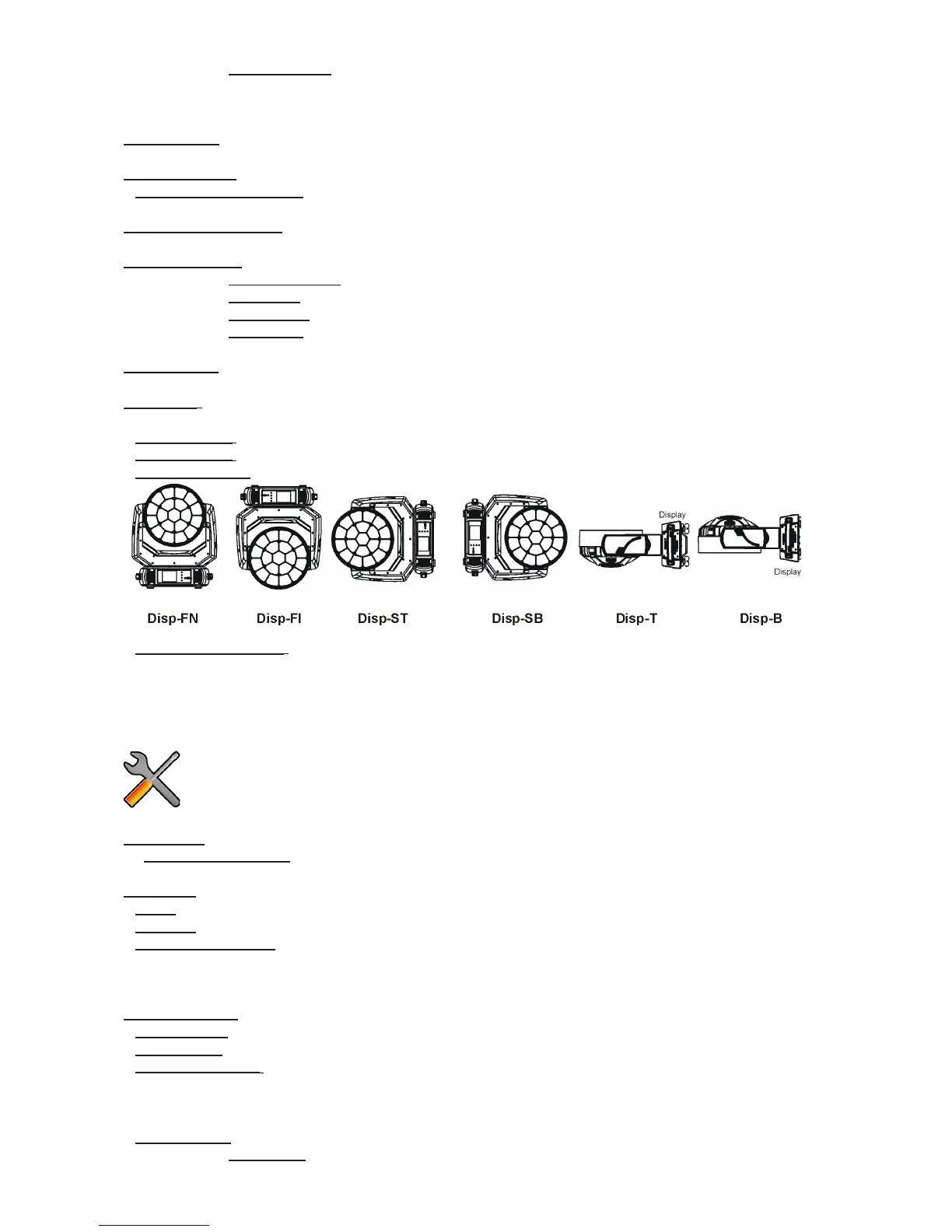
Fixture Position - Recorded installation positions of the xture:
Fixture Temperatures - Recorded temperatures which have exceeded dened levels.
Note: The log buer can contain 8000 records max. If the buer is full, old data will be overwritten.
7.3 Tab "Personality"
DMX Preset - Use the menu to select desired channel mode.
View Selected Preset - Use the menu to display channels included in the selected mode.
DMX Input- Use the menu to select mode of receiving DMX signal.
Wired - DMX signal is received by means of the standard DMX cable.
Wireless - DMX signal is received by means of the inbuilt wireless module.
Wireless In/XLR Out- the xture receives wireless DMX and sends the signal to its wired DMX output.
The xture behaves as " Wireless/Wired" adapter.
The options "Wired" and "Wireless" are also stated in DMX chart (channel Power/Special functions).
Pan/Tilt Settings - Use the menu set behaviour of both pan and tilt movements.
Pan Reverse - The item allows to invert pan movement.
Tilt Reverse - The item allows to invert tilt movement.
Pan/Tilt Feedback - The item allows to return the mowing head to the required pan/tilt position after
changing the position by an external force if this option is set on.
Note. Be careful, the Pan/Tilt Feedback should be permanent On, the option O is not suitable for standard
operation and the head of the xture can be damaged!
Pan/Tilt mode - Use this menu to set the mode of the pan/tilt movement
Time mode – The pan and tilt will move with dierent speeds and they will come at


 To Next Page