7
Setup
Fill the Internal Storage Vessel (ISV)
1
PressSTART / YES,andtheunitautomatically
runsa5-minutevacuumtoclearallinternalair
Note: The “burping” noise heard during this
process indicates air is being purged from the
system—this is normal.
2 Afterthevacuumpumpshutsoff,attachthe
low-sidetankadaptertotheliquidvalveon
thetankAttachthelow-sideservicehoseto
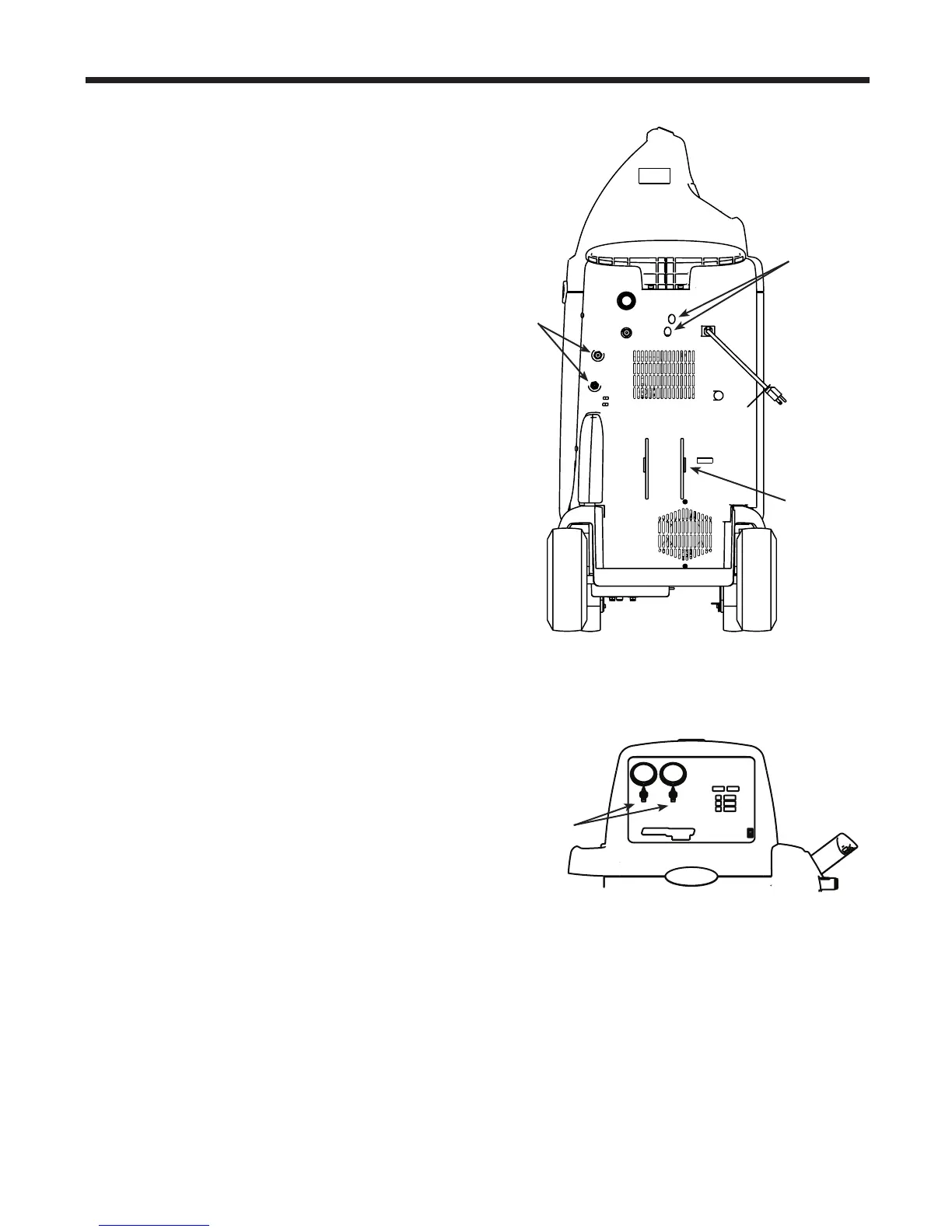
thisadapterSeeFigure3
3 Openthesourcetankvalveandthelow-side
panelvalveSeeFigure4
4 Installthesourcetank,andsecureittotheunit
(usingthetankstrap)insuchawaythatliquid
refrigerantissuppliedtotheconnection
5 PressSTART / YEStobeginllingthe
internalstoragevesselAddatleast8lbs
(36kg)ofrefrigeranttoensureenough
refrigerantisavailableforcharging
Thisprocesstakes15–20minutesTheunit
stopswhenasufcientamountofrefrigerant
hasbeentransferredtotheinternaltank,or
whenthesourcetankisempty
PressSTOP / NOtopausePressSTOP
/ NOagaintoexit,orSTART / YESto
resume
6 Whenthellprocessiscomplete,press
STOP / NOtoexitClosethesourcetank
valveDisconnectthelow-sideservicehose
Theunitisreadyforoperation
Note: There is no need to calibrate the scale; it is
calibrated at the factory.
Figure 3
Power
Cord
Source
Tank
Strap
Low- and
High-Side
Hoses
Low- and
High-Side
Panel Valves
Figure 4
Hose
Storage
Fittings



 To Next Page