10
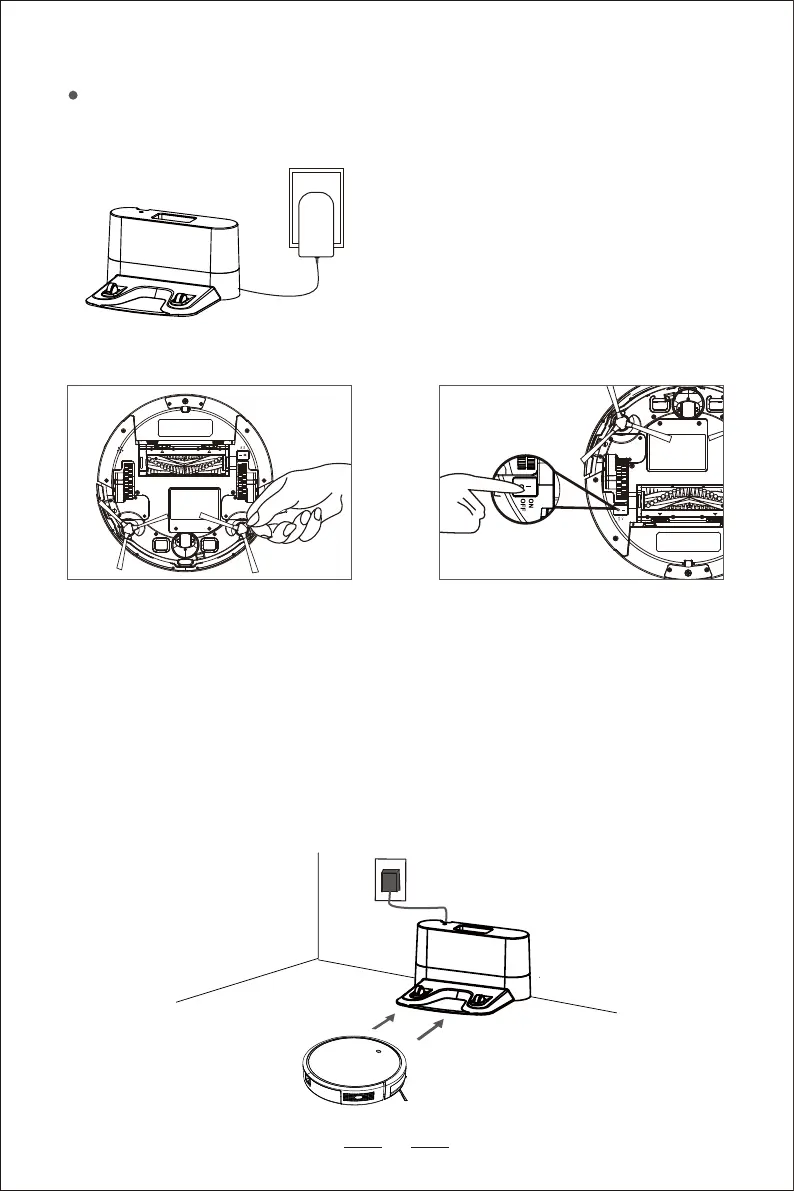
Turn on the button at the bottom of
the host (1 is turn on, 0 is turn off)
Install the side brushes properly
Activate the Robot Vacuum
Make sure that the Electrode Contact Pins on the charging base matches
the Electrode Contact Pins on the robot, and place the product on the
charging base. If successful, the product emits a series of beeps, once the
switch button is lit, the product can be used.
Warm Reminders: Make sure that the
charging base is on when the power is
turned on, otherwise, the product cannot
be automatically recharged.
Connect the plug of the adapter to the power socket of the charging base,
and the other end to the wall socket.
*


 To Next Page