8
Instruction of indicator light
LED indicator Status
Breathing Orange Charging
Solid Blue Stand by/ Cleaning/ Fully Charged
Light off
Power Off
When the product is not on the charging base
and inactive within 5 minutes, the indicator
light will automatically turn off
Solid Orange Low Power/ Searching Charging Dock
Breathing Red or Solid Red The robot has a problem
Using Your R3000 Robot
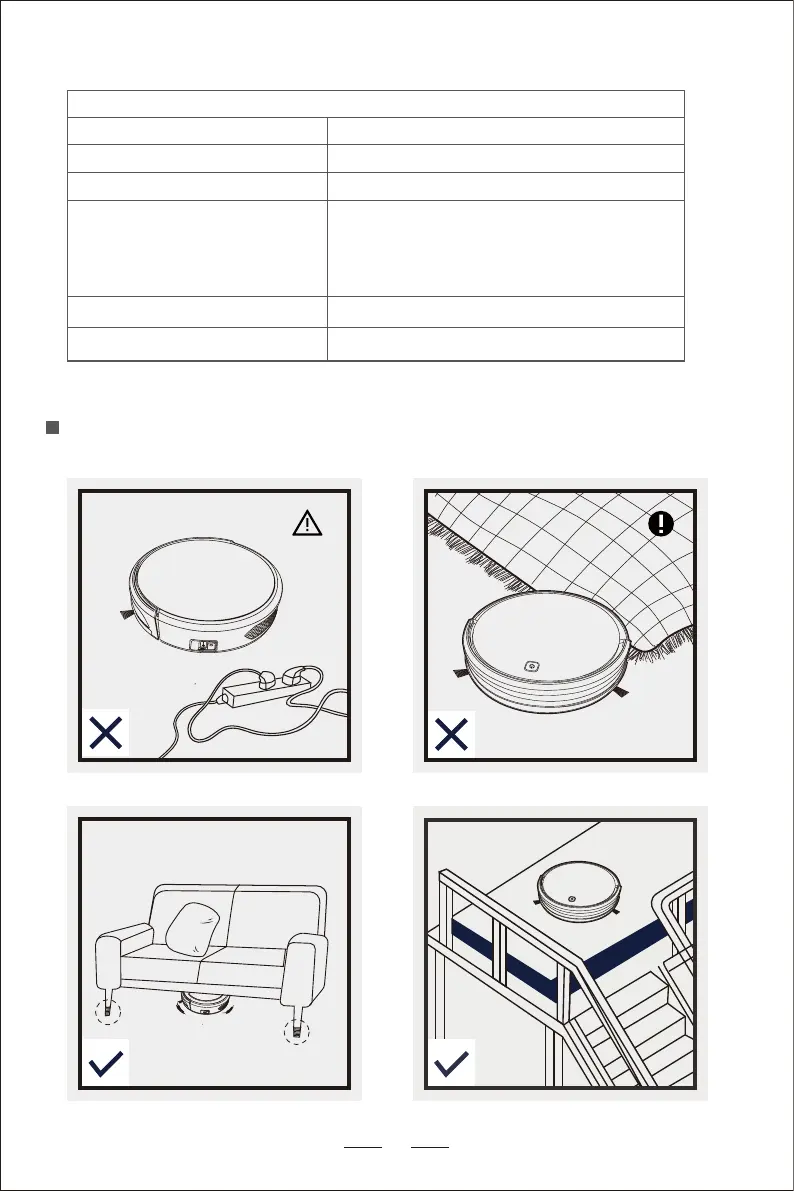
Note Before Use


 To Next Page