Robo Support Documentation, Release 0.1.0
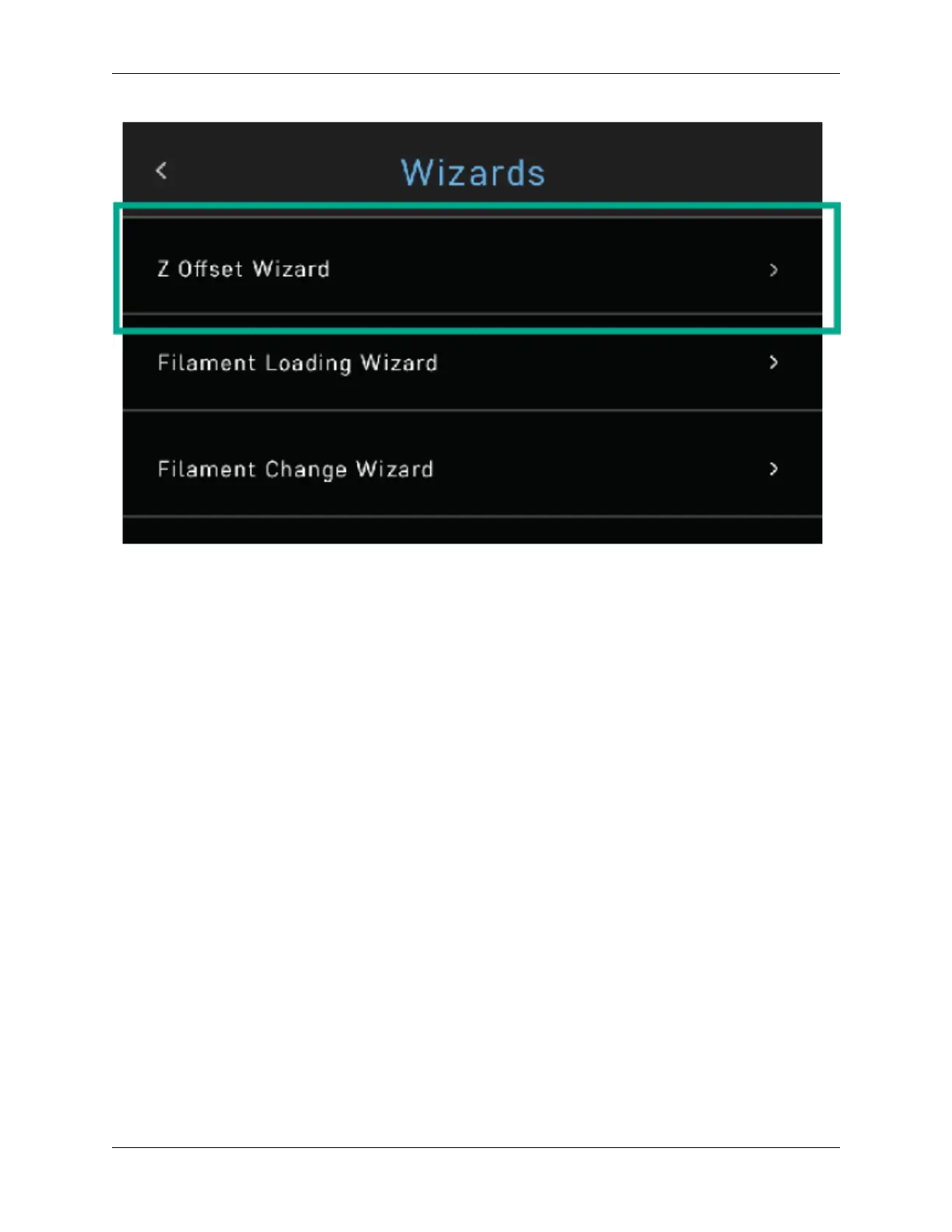
And then follow the on-screen prompts, which include:
• Waiting for the printer to calibrate its home position
• Pressing up and down on the [insert descriptor] buttons while sliding a piece of paper between the nozzle and
the print bed until you feel some resistance against the paper
• Pressing FINISHED
Note that you will see the offset progress and completion on the touchscreen.
3.1.7 The test print
To create your first test print Select FILES on the home screen. Then select a file to print from the list.
3.1. Getting Started 21


 To Next Page